Discord is the most popular linking provider on Servycore. Players verify their identity and receive automatic roles and in-game rewards. For how linking and rewards work on a Rust server, see How to link Discord to your Rust server.
Prerequisites
- A Discord server where your community is active
- The Servycore Discord bot added to your server
- Admin access to your Servycore project
Configuration
Navigate to Panel > Your Project > Providers > Discord.
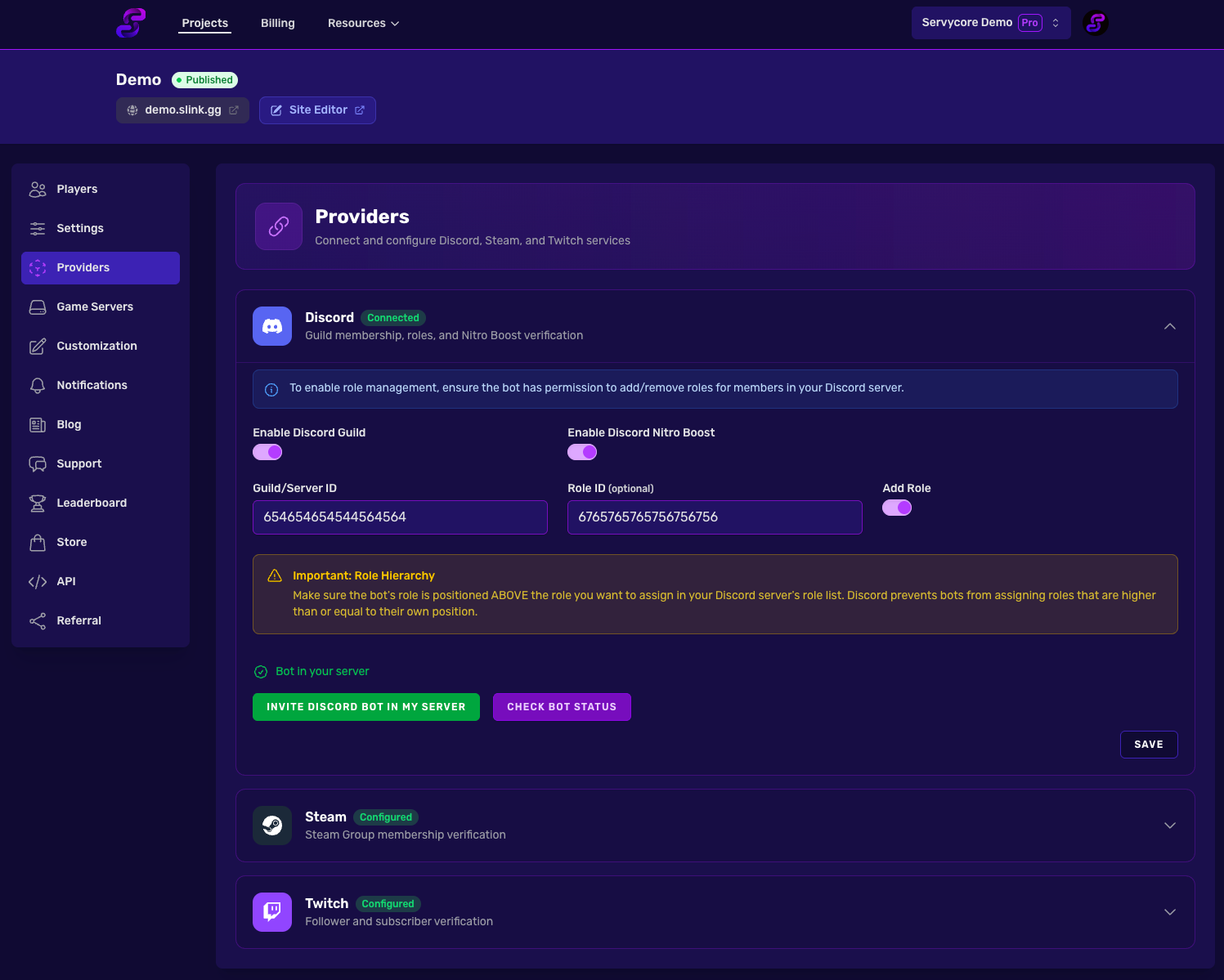
Required Settings
| Setting | Description |
|---|---|
| Discord Guild ID | Your Discord server's ID. Enable Developer Mode in Discord, right-click your server name, and click "Copy Server ID" |
| Discord Role ID | The role to assign to linked members. Right-click the role in Server Settings > Roles and click "Copy Role ID" |
Optional Settings
| Setting | Description |
|---|---|
| Auto-assign Role | Automatically give the configured role when a player links their Discord |
| Check Guild Membership | Verify the player is actually in your Discord server |
| Check Server Booster | Verify if the player is boosting your Discord server |
How It Works for Players
- A player visits your project page and clicks Link Discord
- They authorize with their Discord account via OAuth2
- Servycore verifies they are in your Discord server (if enabled)
- The configured role is automatically assigned (if enabled)
- Any linked auth commands are executed on your game servers
A linked player who got no reward in game can click Linked but no reward in game? Check again on the linked step (or Refresh my rewards): Servycore checks the account again and sends the commands still due. It works once a minute, and not within a minute of the last check, while the commands may still be on their way.
Important Notes
- On a Rust server of the Control Center, a linked player's Discord status is checked again when they join, if it was last checked a day ago or more: rewards are given to a player who qualifies since, and taken back from one who no longer does. Commands only run when the status changed.
- The Servycore bot's role must be higher in the Discord role hierarchy than the roles it assigns
- If you change the role ID, existing players won't be updated until their next verification
- Unlinking removes the assigned role and triggers deauth commands
Related articles
Steam Account Linking
Configure Steam account linking on Servycore — verify Steam group membership, automate in-...
Account Linking
2 min read
Twitch Account Linking
Set up Twitch account linking on Servycore — verify followers and subscribers, reward view...
Account Linking
2 min read
Server Commands
Configure automatic auth and deauth commands on Servycore — execute Rust oxide commands, r...
Game Servers
4 min read