The Servycore API lets you integrate your game server, website, or custom bot with Servycore programmatically. All API endpoints use REST conventions and return JSON responses.
Authentication
The API uses Bearer token authentication via Laravel Sanctum. Include your API token in the Authorization header of every request:
Authorization: Bearer YOUR_API_TOKEN
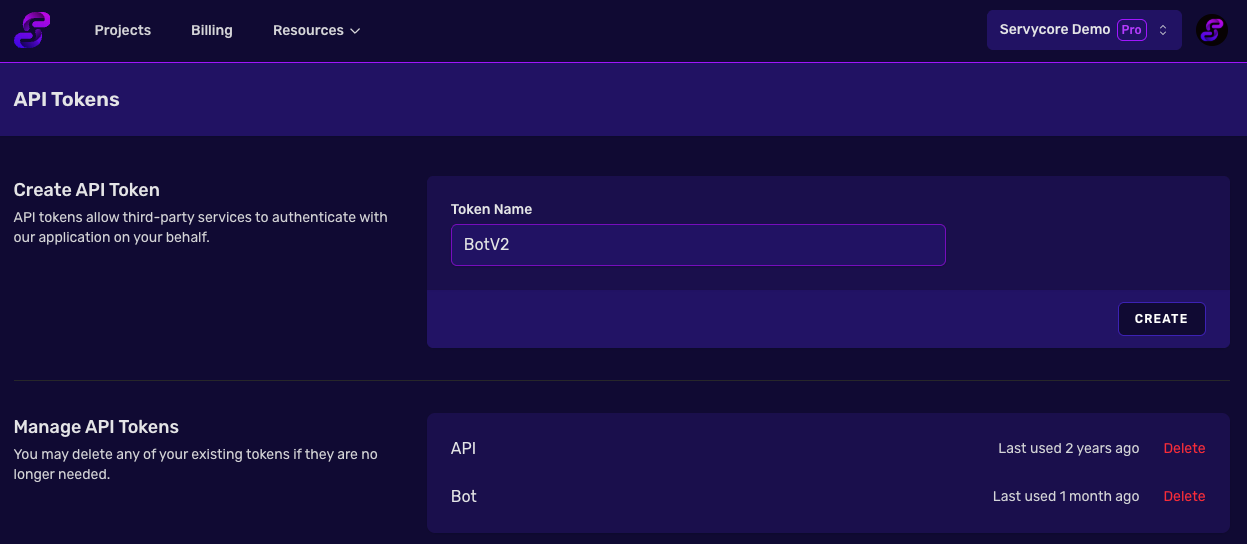
Creating an API Token
API tokens are managed from your Profile > API Tokens page. A token acts with your role in each team. When you create one you can narrow it: Project limits it to one project (required to connect an AI assistant with a token), Read only lets it read everything and change nothing. A token made without them reaches every project of your teams, as before.
API Documentation
For the full list of available endpoints, request/response formats, and detailed usage examples, visit the API Documentation accessible from the Resources menu in the panel navigation.
The API covers:
- Players — List, view, ban/unban, and manage linked accounts
- Game Servers — View and update server configuration
- Commands — Full CRUD for server commands
- Command Queue — Plugin integration for pending command execution
- Blog — Create and manage blog posts and categories
- Support — Manage support tickets and replies
- Leaderboard — Player stats, wipes, events, heatmaps, and sessions
Changes in the October 2026 update
Endpoints keep their URLs, parameters and answers. Check these points if you have your own integration:
- Updating a game server: when you change the RCON address or the panel host, send the password or panel token again, or the saved one is cleared. Private addresses are refused.
- Plugin tokens (created by Servycore for its plugins) only work for their plugin and their server. If you reused one in your own bot or website, create an API token instead.
- Banned players now get their unlink commands from the pending commands, so a ban takes the linking rewards back in game.
- Leaderboard: heatmaps are grouped in 50 m cells, player trails are kept 48 hours, and the detailed events of a wipe 30 days after it ends.
The full list is at the top of the API Documentation.
Notes
- API tokens use your team role; they can be limited to one project and to reading
- All responses are returned in JSON format
- Discord recheck endpoints have a 1-hour cooldown between requests
- For detailed endpoint documentation, refer to the API Documentation