Twitch linking lets you verify if players follow or subscribe to your Twitch channel, enabling you to reward loyal viewers with in-game perks.
Configuration
Navigate to Panel > Your Project > Providers > Twitch.
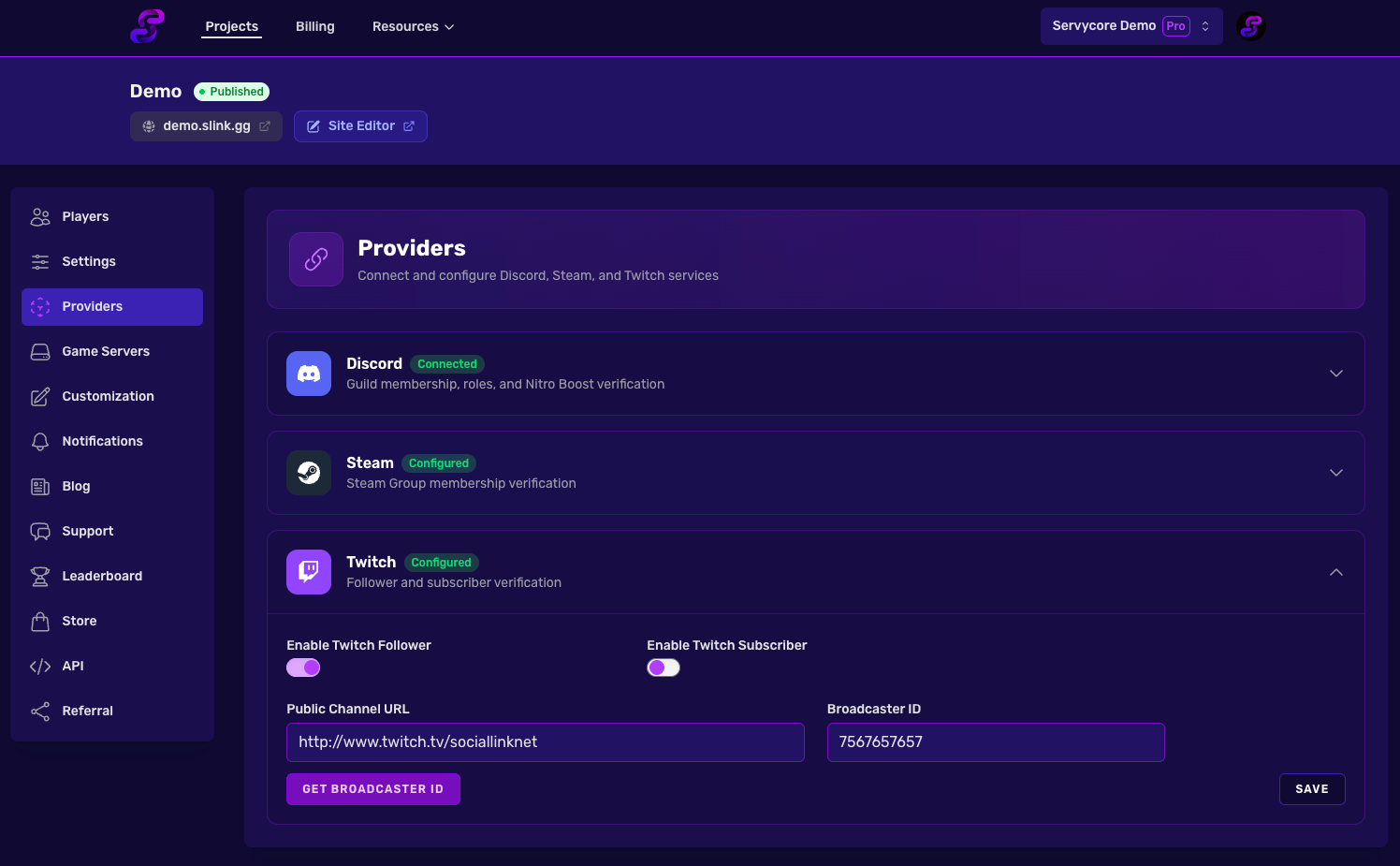
Settings
| Setting | Description |
|---|---|
| Twitch Broadcaster ID | Your Twitch user ID (3-15 characters). This is a numeric ID, not your username |
| Twitch Channel Link | The full URL to your Twitch channel |
| Check Follower | Verify if the player follows your Twitch channel |
| Check Subscriber | Verify if the player is subscribed to your channel |
Finding Your Twitch Broadcaster ID
Your Twitch Broadcaster ID is a numeric ID. You can find it using third-party tools by searching your Twitch username.
How It Works
- A player clicks Link Twitch on your project page
- They authorize with their Twitch account via OAuth2
- Servycore checks follower/subscriber status based on your settings
- Auth commands are executed on your game servers
- The player's Twitch info is stored for display
Notes
- On a Rust server of the Control Center, a linked player's Twitch status is checked again when they join, if it was last checked a day ago or more: rewards are given to a player who qualifies since, and taken back from one who no longer does. Commands only run when the status changed.
- Follower checks are fast and can be re-verified frequently
- Subscriber checks have a 1-hour cooldown between rechecks
- Twitch OAuth tokens can expire; players may need to re-link if verification fails
Related articles
Discord Account Linking
Set up Discord account linking on Servycore — automatic role assignment, guild membership...
Account Linking
2 min read
Steam Account Linking
Configure Steam account linking on Servycore — verify Steam group membership, automate in-...
Account Linking
2 min read
Server Commands
Configure automatic auth and deauth commands on Servycore — execute Rust oxide commands, r...
Game Servers
4 min read