How to ban a player on a Rust server
Ban, temp-ban and unban players on Rust with ban, banid and server.writecfg, and block banned players on every server with a central ban list.
6 minute read, checked against Rust's own code. Updated .
To ban a player who is on your Rust server right now, run ban <name or SteamID> "<reason>" in the server console, RCON or F1. To ban someone who is offline, use banid <SteamID64> "<name>" "<reason>", then server.writecfg. Add a duration such as 7d at the end for a temporary ban. Rust's ban only covers the one server you type it on: for a whole network, use a central ban list.
The two ban commands
ban |
banid |
|
|---|---|---|
| Target | A connected player (name or SteamID) | Any SteamID64, online or not |
| Kicks the player | Yes | Yes, if they are online |
| Message in chat | "Kickbanning |
The same, if they are online |
Saved to bans.cfg |
Right away | No: run server.writecfg |
Both accept an optional duration as the last argument. Without one, the ban is permanent.
Ban a player who is online
ban "Alex" "Cheating"
ban 76561197960287930 "Cheating" 7d
The player is kicked with "Banned: Cheating" (plus the duration for a temporary ban), and everyone sees the "Kickbanning" line in chat. If the player is not connected, Rust answers "Player not found": use banid instead.
Ban a SteamID, online or not
banid 76561197960287930 "Alex" "Cheating" 30d
server.writecfg
banid is what you use for a player who already left, a cheater reported on another server, or a ban list you copy from elsewhere. It needs the SteamID64; convert any other format with the SteamID converter. Do not forget server.writecfg: banid does not save the ban list by itself, and an unsaved ban disappears at the next restart.
Durations
The duration is a number followed by a unit: s (seconds), m (minutes), h (hours), d (days), w (weeks), M (months) or Y (years). 30m, 12h, 7d and 1M all work. A number without a unit counts as hours, so ban "Alex" "Spam" 24 is a one-day ban. When a temporary ban ends, the player can join again with nothing to do on your side.
Unban a player
unban 76561197960287930
server.writecfg
Like banid, unban does not save on its own: without server.writecfg, the player is banned again after a restart. Rust answers "isn't banned" when the SteamID is not on the list.
See who is banned
| Command | Shows |
|---|---|
bans |
The ban list as JSON: SteamID, name, notes, expiry |
banlistex |
One line per ban with the name, the reason and the expiry |
banlist, listid |
SteamIDs only, in the old Source format |
The list itself lives in server/<identity>/cfg/bans.cfg.
Things worth knowing
Family sharing: the owner is banned too
When the banned player plays on a game licence shared through Steam Family Sharing, Rust also bans the owner of that licence. That stops the classic "ban, then come back on a friend's shared copy".
Promoting a banned player lifts the ban
Rust keeps one entry per SteamID: banned, owner, moderator or skip queue. Running ownerid or moderatorid on a banned player replaces the ban. Check the list before you promote anyone; see how to add an admin on a Rust server.
Kick, mute or ban?
kick <player> "<reason>"removes the player for now; they can come straight back. Rust announces "Kicking( )" in chat. mute <player>stops a connected player from using the chat until youunmutethem. It only works while the player is online.banandbanidare for players who should not come back.
Every command, with what it does and whether it works over RCON, is in the Rust admin commands reference.
Banning across several servers
A Rust ban only covers the server it was typed on. If you run three servers, a cheater banned on one can join the other two. You can repeat banid on every server, but the lists drift apart quickly.
Rust has a better answer built in: server.bansServerEndpoint. Set it to the address of a ban service, and Rust asks that service about every player who connects:
- the service answers "not found" (404): the player joins;
- any successful answer (200): the player is refused before loading in, with the reason the service gives.
Rust also checks the family-share owner of the account. Three settings matter:
server.bansServerEndpointis not saved by Rust: it has to be set again after every restart.server.bansServerTimeout(5 seconds by default) is how long Rust waits for an answer.server.bansServerFailureModedecides what happens when the service does not answer:0(default) lets the player in,1refuses them.
Players already on the server are not checked again, so a new ban still needs a kick for anyone online. The full list of these settings is in the Rust convars reference.
With Servycore
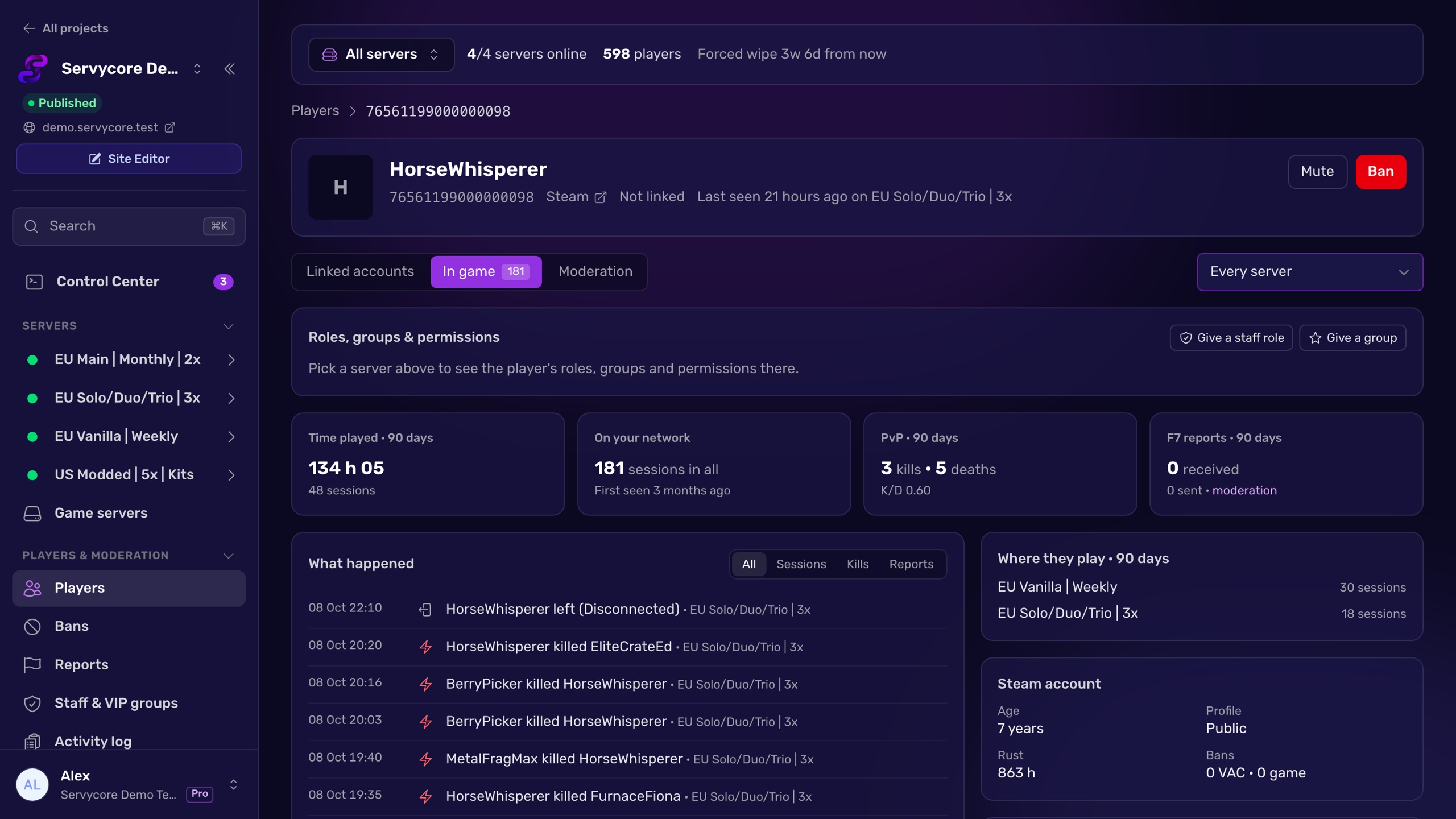
Servycore is a central ban list for all your Rust servers. A ban (permanent or with an end date, with the reason players see) covers every server of your network or the ones you pick; Servycore sets server.bansServerEndpoint on each server and sets it again after restarts, so a banned player is refused before they load in, on every server, including servers you add later. Players online when you ban them are kicked at once. You can import a server's existing ban list, mute players for a set time from the chat or their profile, and get a Discord alert when a banned player tries to join. Every ban is in one list, with who gave it and why.
Questions people ask
How do I ban someone who is offline on Rust?
Use banid <SteamID64> "<name>" "<reason>" from the server console or RCON, then server.writecfg. ban only works on a player who is connected.
How do I make a temporary ban?
Add a duration at the end: ban "Alex" "Toxic" 3d or banid 76561197960287930 "Alex" "Toxic" 3d. Units are s, m, h, d, w, M and Y; a number alone means hours.
Why did my ban disappear after a restart?
banid and unban do not save the ban list on their own. Run server.writecfg after them so bans.cfg is written.
Does a Rust ban work on all my servers?
No. A ban made with ban or banid only covers that server. To ban across a network, point server.bansServerEndpoint on every server to the same ban service, or repeat the ban everywhere.
Is the ban by IP or by account?
By account: Rust bans the SteamID, and also the owner of the licence when the player uses Family Sharing.
How do I unban someone on Rust?
Run unban <SteamID64> and then server.writecfg. Without the second command, the player is banned again after the next restart.
With Servycore
One ban list for your whole network
Servycore refuses banned players before they load in, on every Rust server you run, with the reason they see, temporary or permanent, and a Discord alert when they try to come back.
- Players and moderation in the knowledge base
- Running several servers in the knowledge base
Read next
- SteamID Converter Convert a SteamID64, STEAM_0:X:Y, [U:1:N] or Steam profile link into every other format. Free, instant, no Steam API call.
- How to handle F7 reports on a Rust server Where Rust F7 player reports go, how to read them, check a reported player with the combat log, and turn reports into kicks, mutes or bans.
- Rust Admin Commands Rust admin and RCON commands with syntax, examples and which ones work over RCON, checked against Rust's own code. Players, bans, staff, server, Oxide and Carbon.
- Rust Server Convars Rust server convars with defaults from the game's code: listing, map, gameplay, chat, RCON, saves and decay, and where each one belongs.