Rust Admin Commands
Every admin command a Rust server owner needs, with the exact syntax and whether it works over RCON or only in game.
-
status
Players
Lists the connected players with SteamID, name, ping, connection time and address, under the server name and player count.
status
statusWorks over RCON
-
playerlist
Players
The connected players as JSON: SteamID, name, ping, address, connected time and more. Handy for scripts and tools.
playerlist
playerlistWorks over RCON
-
players
Players
A table of the connected players with their ping and network queues.
players
playersWorks over RCON
-
users
Players
SteamID and name of every connected player.
users
usersWorks over RCON
-
sleepingusers
Players
SteamID and name of every player sleeping on the map.
sleepingusers
sleepingusersWorks over RCON
-
playerlistpos
Players
The position and facing of every connected player.
playerlistpos [--json]
playerlistpos --jsonWorks over RCON
-
usersinrangeofplayer
Players
Players within a distance of another player, closest first.
usersinrangeofplayer <player> <metres>
usersinrangeofplayer 76561197960287930 50Works over RCON
-
teaminfo
Players
The members of a player's team: SteamID, name, online and leader.
teaminfo <player or steamid64>
teaminfo 76561197960287930Works over RCON
-
authcount
Players
Every cupboard, lock and other entity a player is authorized on, with positions and entity IDs.
authcount <player> [--json]
The player must be online or sleeping on the map.
authcount 76561197960287930Works over RCON
-
entcount
Players
Every entity a player has placed, with positions and entity IDs.
entcount <player> [--json]
The player must be online or sleeping on the map.
entcount 76561197960287930Works over RCON
-
combatlog
Players
The last hits a player gave and took: attacker, weapon, distance, damage. The most recent seconds stay hidden (server.combatlogdelay).
combatlog <player>
Answers "invalid player" when the player is neither online nor sleeping.
combatlog 76561197960287930Works over RCON
-
stats
Players
Playtime, kills, deaths, suicides and hit counters of the connected players.
stats
statsWorks over RCON
-
killplayer
Players
Kills a player, a sleeper or a bot instantly.
killplayer <player>
killplayer 76561197960287930Works over RCON
-
injureplayer
Players
Puts a player in the wounded state, as if they had taken fatal damage.
injureplayer <player>
Does nothing while wounding is off, or while the player sleeps or sits in a vehicle.
injureplayer 76561197960287930Works over RCON
-
recoverplayer
Players
Gets a wounded player back on their feet.
recoverplayer <player>
recoverplayer 76561197960287930Works over RCON
-
teleport
Players
With two names, moves the first player to the second. With one name, moves you to that player.
teleport <player> <target player>
Over RCON, always give two players. Both must be alive.
teleport 76561197960287930 76561198040894045Works over RCON
-
teleport2me
Players
Brings a player to your position.
teleport2me <player>
teleport2me 76561197960287930In game only
-
teleportpos
Players
Moves you to map coordinates.
teleportpos <x,y,z>
teleportpos 100,20,-350In game only
-
teleporteveryone2me
Players
Brings every player, sleepers included, to your position.
teleporteveryone2me
In game only
-
inventory.giveto
Players
Gives an item to a player, found by part of its short name.
inventory.giveto <player> <item> [amount] [skin]
Announced to everyone in chat ("SERVER gave …"). The help text lists the item first, but the code reads the player first.
inventory.giveto 76561197960287930 rifle.ak 1Works over RCON
-
inventory.give
Players
Gives an item to yourself.
inventory.give <item> [amount]
inventory.give wood 1000In game only
-
inventory.resetbp
Players
Resets a player's learned blueprints to the default set.
inventory.resetbp <player>
The player must be online.
inventory.resetbp 76561197960287930Works over RCON
-
inventory.clearinventory
Players
Clears a player's inventory, or only the containers you name.
inventory.clearinventory <player> [--belt] [--wear] [--main]
inventory.clearinventory 76561197960287930 --beltNot verified
-
kick
Moderation
Disconnects a player with a reason.
kick <player> "<reason>"
Announced to everyone in chat.
kick 76561197960287930 "Stop spamming"Works over RCON
-
kickall
Moderation
Disconnects every connected player.
kickall <anything> "<reason>"
The reason is read from the second argument.
kickall x "Restarting for the update"Works over RCON
-
ban
Moderation
Bans and kicks a connected player. Without a duration the ban is permanent.
ban <player> "<reason>" [duration]
Online players only. The family-share owner of the account is banned too. Announced in chat.
ban 76561197960287930 "Cheating"Works over RCON
-
banid
Moderation
Bans a SteamID, online or not, and kicks the player if connected.
banid <steamid64> "<name>" "<reason>" [duration]
Run server.writecfg afterwards so the ban survives a restart.
banid 76561197960287930 "Name" "Cheating"Works over RCON
-
unban
Moderation
Lifts the ban of a SteamID.
unban <steamid64>
Run server.writecfg afterwards to save the change.
unban 76561197960287930Works over RCON
-
bans
Moderation
Every ban as JSON: SteamID, name, reason and expiry.
bans
bansWorks over RCON
-
banlistex
Moderation
The ban list with names and reasons.
banlistex
banlistexWorks over RCON
-
listid
Moderation
The banned SteamIDs only.
listid
listidWorks over RCON
-
mute
Moderation
Stops a player from writing in chat until you unmute them.
mute <player>
No duration in Rust, and the player must be online.
mute 76561197960287930Works over RCON
-
unmute
Moderation
Lets a muted player write in chat again.
unmute <player>
unmute 76561197960287930Works over RCON
-
mutelist
Moderation
Every muted player, with SteamID and name.
mutelist
mutelistWorks over RCON
-
entity.deleteby
Moderation
Destroys everything placed by the given players: bases, deployables, everything.
entity.deleteby <steamid64> [<steamid64> …]
Cannot be undone.
entity.deleteby 76561197960287930Works over RCON
-
entid
Moderation
Acts on one entity by its network ID: destroy it, lock it, see its owner or who is authorized, change its grade, repair it.
entid <kill|lock|unlock|who|auth|upgrade|downgrade|setgrade|repair> <entity id>
Get entity IDs from authcount or entcount.
entid who 123456Works over RCON
-
authradius
Moderation
Authorizes a player on every cupboard and lock within a distance of that player.
authradius <metres> <player>
Without a player, it uses you and your position.
authradius 30 76561197960287930Works over RCON
-
deauthradius
Moderation
Removes a player from every cupboard and lock within a distance of that player.
deauthradius <metres> <player>
deauthradius 30 76561197960287930Works over RCON
-
ownerid
Staff & permissions
Makes a SteamID an owner (full admin). Applies at once if the player is online.
ownerid <steamid64> "<name>" "<reason>"
Moderators cannot run it. One role per SteamID: it replaces a moderator role or a ban.
ownerid 76561197960287930 "Name" "Head admin"Works over RCON
-
moderatorid
Staff & permissions
Makes a SteamID a moderator (admin without ownerid and a few owner-only commands).
moderatorid <steamid64> "<name>" "<reason>"
moderatorid 76561197960287930 "Name" "Moderator"Works over RCON
-
removeowner
Staff & permissions
Takes the owner role back.
removeowner <steamid64>
removeowner 76561197960287930Works over RCON
-
removemoderator
Staff & permissions
Takes the moderator role back.
removemoderator <steamid64>
removemoderator 76561197960287930Works over RCON
-
skipqueueid
Staff & permissions
Lets a SteamID skip the connection queue from now on.
skipqueueid <steamid64> "<name>" "<reason>"
Refused for owners, moderators and banned players. Run server.writecfg to save it.
skipqueueid 76561197960287930 "Name" "VIP"Works over RCON
-
removeskipqueue
Staff & permissions
Takes the skip-queue right back.
removeskipqueue <steamid64>
removeskipqueue 76561197960287930Works over RCON
-
skipqueue
Staff & permissions
Moves a player waiting in the queue to the front, once.
skipqueue <steamid64>
skipqueue 76561197960287930Works over RCON
-
say
Server
Posts a message in chat as SERVER.
say "<message>"
say "Wipe in 10 minutes"Works over RCON
-
restart
Server
Restarts the server after a countdown shown in game (300 seconds when omitted). Rust saves and quits; your host starts it again.
restart <seconds> "<message>"
restart 300 "Restarting for the update"Works over RCON
-
quit
Server
Stops the server process right away.
quit
Run server.save first. Most hosts start the server again on their own.
quitWorks over RCON
-
server.save
Server
Saves the world now.
server.save
server.saveWorks over RCON
-
server.writecfg
Server
Writes the saved settings to cfg/serverauto.cfg and the bans and roles to users.cfg.
server.writecfg
server.writecfgWorks over RCON
-
server.readcfg
Server
Runs serverauto.cfg then server.cfg again, without a restart.
server.readcfg
server.readcfgWorks over RCON
-
serverinfo
Server
The server's live state as JSON: name, players, queue, FPS, entities, memory, uptime, map, version.
serverinfo
serverinfoWorks over RCON
-
server.fps
Server
The server's current frame rate.
server.fps
server.fpsWorks over RCON
-
version
Server
Protocol, build date, branch and changeset of the running server.
version
versionWorks over RCON
-
server.printwipeid
Server
The ID of the current save: it changes at every wipe and survives restarts.
server.printwipeid
server.printwipeidWorks over RCON
-
wipetimer.printwipe
Server
The next wipe as the in-game wipe timer sees it, with its time zone.
wipetimer.printwipe
wipetimer.printwipeWorks over RCON
-
world.rendermap
Server
Renders the map as a PNG next to the server files.
world.rendermap <scale>
Large scales use a lot of memory.
world.rendermap 0.5Works over RCON
-
rcon.print_rcon_clients
Server
The tools currently connected over RCON, with their IP and traffic.
rcon.print_rcon_clients [--json]
rcon.print_rcon_clientsWorks over RCON
-
rcon.ban_ip
Server
Bans an IP from RCON for good and disconnects its clients.
rcon.ban_ip <ip>
rcon.ban_ip 203.0.113.7Not verified
-
rcon.unban_ip
Server
Lifts an RCON IP ban and clears its failed attempts.
rcon.unban_ip <ip>
rcon.unban_ip 203.0.113.7Not verified
-
rcon.print_rcon_bans
Server
The IPs banned from RCON.
rcon.print_rcon_bans [--json]
rcon.print_rcon_bansNot verified
-
entity.spawn
World & events
Spawns an entity (animal, scientist, vehicle…) by prefab name at a position.
entity.spawn <prefab> <position>
The position format over RCON was not tested.
entity.spawn minicopter.entity 100,25,-350Works over RCON
-
supply.drop
World & events
Sends a cargo plane that drops a supply crate above you.
supply.drop
In game only
-
supply.call
World & events
Sends a cargo plane with a supply drop to a random spot.
supply.call
Does nothing unless an admin types it in game.
In game only
-
heli.call
World & events
Calls a patrol helicopter.
heli.call
Does nothing unless an admin types it in game.
In game only
-
heli.calltome
World & events
Calls a patrol helicopter to your position.
heli.calltome
In game only
-
weather.load
World & events
Forces a weather preset, found by part of its name (clear, rain, storm, fog…).
weather.load <preset>
weather.load clearWorks over RCON
-
weather.reset
World & events
Gives the weather back to Rust's own cycle.
weather.reset
weather.resetWorks over RCON
-
weather.report
World & events
The current, previous and next weather states.
weather.report
weather.reportWorks over RCON
-
upgrade_radius
World & events
Upgrades every building block around you to a grade (twig, wood, stone, metal, hqm).
upgrade_radius <grade> <metres>
upgrade_radius stone 20In game only
-
oxide.version
Oxide & Carbon
Answers with the Oxide version: the quickest way to know the server runs Oxide.
oxide.version
Carbon does not answer it unless Oxide aliases are turned on.
oxide.versionWorks over RCON
-
c.version
Oxide & Carbon
Answers with the Carbon version.
c.version
c.versionWorks over RCON
-
oxide.plugins
Oxide & Carbon
Every loaded Oxide plugin with version, author and load time.
oxide.plugins
oxide.pluginsWorks over RCON
-
c.plugins
Oxide & Carbon
Every Carbon plugin, loaded, unloaded or failed.
c.plugins [--json]
c.plugins --jsonWorks over RCON
-
oxide.reload
Oxide & Carbon
Reloads an Oxide plugin after you changed its file or config.
oxide.reload <plugin>
oxide.reload KitsWorks over RCON
-
c.reload
Oxide & Carbon
Reloads a Carbon plugin.
c.reload <plugin>
c.reload KitsWorks over RCON
-
oxide.usergroup
Oxide & Carbon
Adds a player to an Oxide group, or removes them.
oxide.usergroup <add|remove> <steamid64> <group>
oxide.usergroup add 76561197960287930 vipWorks over RCON
-
c.usergroup
Oxide & Carbon
Adds a player to a Carbon group, or removes them.
c.usergroup <add|remove> <steamid64> <group>
Carbon answers "Couldn't find that player." for a SteamID that never joined the server.
c.usergroup add 76561197960287930 vipWorks over RCON
-
oxide.group
Oxide & Carbon
Creates or deletes an Oxide group.
oxide.group <add|remove> <group>
oxide.group add vipWorks over RCON
-
c.group
Oxide & Carbon
Creates, deletes or nests a Carbon group.
c.group <add|remove|parent> <group> [parent]
c.group add vipWorks over RCON
-
oxide.grant
Oxide & Carbon
Gives a plugin permission to a group or a player.
oxide.grant <group|user> <name> <permission>
oxide.grant group vip kits.vipWorks over RCON
-
c.grant
Oxide & Carbon
Gives a plugin permission to a group or a player on Carbon.
c.grant <group|user> <name> <permission>
c.grant group vip kits.vipWorks over RCON
-
oxide.revoke
Oxide & Carbon
Takes a plugin permission back.
oxide.revoke <group|user> <name> <permission>
oxide.revoke group vip kits.vipWorks over RCON
-
c.revoke
Oxide & Carbon
Takes a plugin permission back on Carbon.
c.revoke <group|user> <name> <permission>
c.revoke group vip kits.vipWorks over RCON
-
oxide.show
Oxide & Carbon
Shows a group's players and permissions, a player's groups, or every group and permission.
oxide.show <group|user|groups|perms> [name]
oxide.show group vipWorks over RCON
-
c.show
Oxide & Carbon
Shows a group's players and permissions, a player's groups, or every group and permission on Carbon.
c.show <group|user|groups|perms> [name]
c.show group vipWorks over RCON
86 commands, checked against the current Rust server build and its code.
servycore.io/tools · Rust · rev. Oct 2026
Where to type a command
Rust gives you three places to run an admin command, and they do not all behave the same way:
- In game, with F1. Once your SteamID is owner or moderator, open the console with F1 and type the command. The server knows who you are, so commands that act on you (teleport to a position, give yourself an item, call a helicopter to you) work here.
- In the server console. The black window of the server, or the console of your host's panel. You are nobody in particular there: there is no player behind the command.
- Over RCON. A tool connected to the server's RCON port with the RCON password, like a web console or a bot. Same as the server console: no player behind the command.
That difference is the reason for the Works over RCON filter above. Many commands are written for an admin standing in the world: teleportpos moves the player who typed it, supply.drop drops a crate above that player, heli.calltome calls the helicopter to that player. Typed in the server console or over RCON, there is no such player, so the command does nothing and often says nothing either. We read each command in Rust's own code to tell you which side it falls on.
Writing the arguments
- Players can usually be given by SteamID64 or by name. A SteamID is safer: two players can share part of a name, and names change. Use the SteamID converter when a tool gives you another format.
- Text with spaces goes in double quotes:
kick 76561197960287930 "Stop spamming". Without quotes, only the first word is the reason. - Durations on
banandbanidare optional; leave them out for a permanent ban. - One command per line: Rust does not split a line on
;.
Roles and bans need saving
ownerid, moderatorid and ban save the roles and bans file as they go, but banid, unban and skipqueueid only change the list in memory. Run server.writecfg after them, or a restart forgets the change. It costs nothing to run it after any role or ban change: it writes users.cfg and the saved settings in serverauto.cfg.
Rust keeps one entry per SteamID in that list. Making a moderator an owner replaces the moderator role, and giving a role to a banned SteamID lifts the ban. The admin guide walks through roles step by step.
Commands that tell everyone
A few commands announce themselves in chat: kick and ban post "Kicking…" or "Kickbanning…" with the reason, and inventory.giveto posts "SERVER gave … ". Keep that in mind before you refund an item in the middle of a fight.
Oxide and Carbon
With a modding framework, its commands start with oxide. or c.. Carbon does not answer Oxide's names unless you turn its aliases on, so oxide.usergroup does nothing on a Carbon server. Carbon also refuses to add a SteamID to a group if that player never joined the server: add them after their first connection.
A console your staff can share
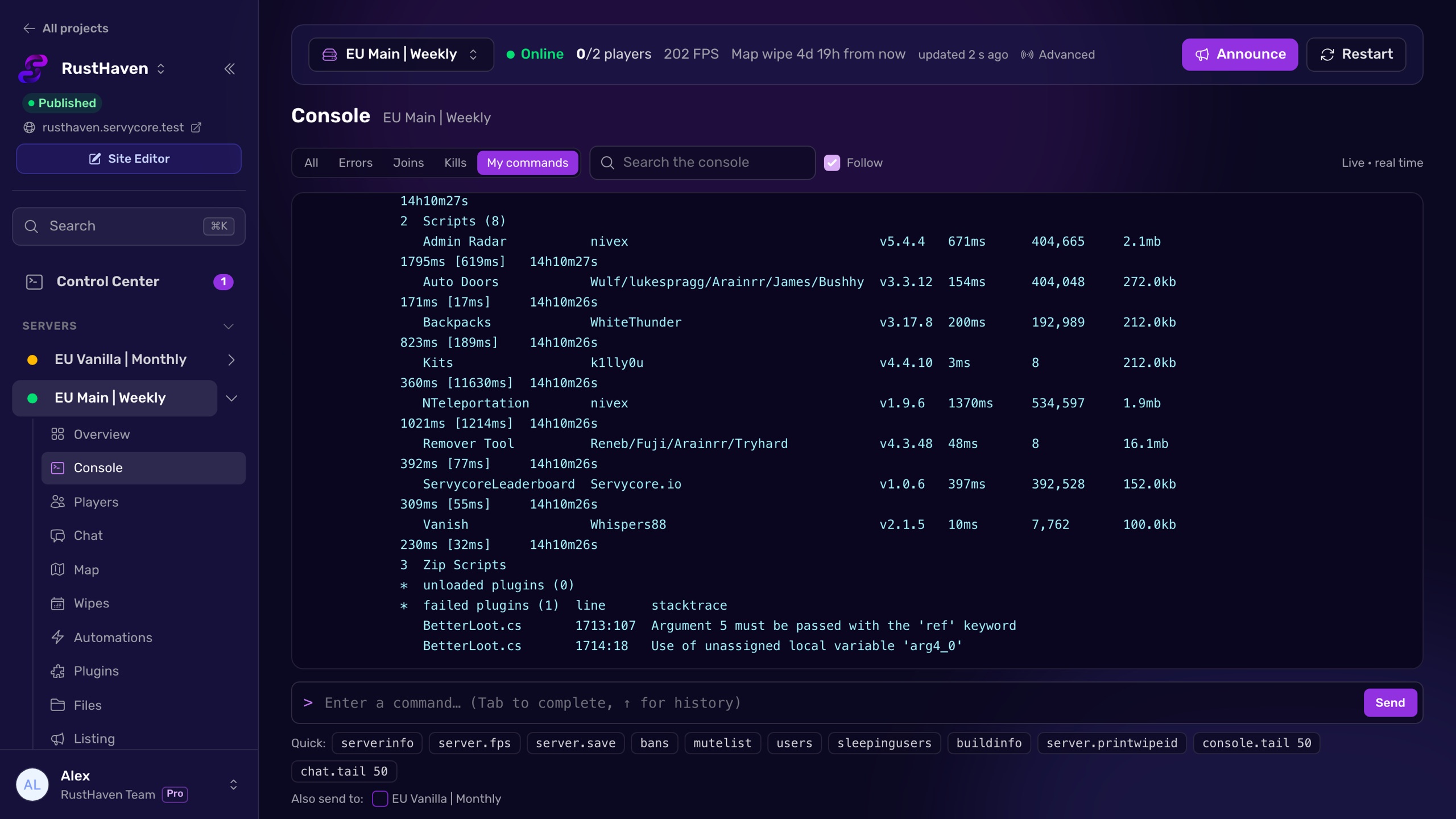
With Servycore, your moderators get a live web console for every server of your network, with the chat and the player list next to it. They run commands without ever seeing the RCON password, each command is written in the activity log with their name, and the common ones (kick, ban, mute, roles, VIP groups) are buttons on the player's profile. The RCON guide explains how the connection works.
Questions people ask
Why does a command do nothing over RCON?
It acts on the player who typed it, and over RCON or in the server console there is none. teleportpos, supply.drop, heli.calltome or inventory.give are made for an admin in game. Look for the commands marked as working over RCON, like teleport with two players or inventory.giveto.
How do I make someone admin on my Rust server?
Run ownerid <steamid64> "<name>" "<reason>" (or moderatorid for a moderator), then server.writecfg. The player gets the admin flag at once if online, and the role stays after a restart.
How do I ban a player who is offline?
Use banid <steamid64> "<name>" "<reason>": unlike ban, it does not need the player to be connected. Run server.writecfg afterwards so the ban is saved.
Can I give items from the server console?
Yes, with inventory.giveto <player> <item> [amount]. The item is found by part of its short name, and the gift is announced to everyone in chat.
Do these commands need Oxide or Carbon?
No. Everything outside the Oxide & Carbon category is part of Rust itself and works on a vanilla server.
With Servycore
A live console for your whole staff
Servycore gives your moderators a web console for every server, with chat and players next to it. They run commands without the RCON password, and every command is logged with their name.
- Players and moderation in the knowledge base
- Connect your server with RCON in the knowledge base
Read next
- How to use RCON on a Rust server Turn on Rust WebRCON, connect, and learn which admin commands work over RCON, plus the password and IP-ban rules that lock people out.
- How to add an admin on a Rust server Make a player owner or moderator on your Rust server with ownerid and moderatorid, save it with server.writecfg, and avoid the traps.
- SteamID Converter Convert a SteamID64, STEAM_0:X:Y, [U:1:N] or Steam profile link into every other format. Free, instant, no Steam API call.
- Rust Server Convars Rust server convars with defaults from the game's code: listing, map, gameplay, chat, RCON, saves and decay, and where each one belongs.