How to wipe a Rust server
Map, blueprint or full wipe: the exact files to delete in server/<identity>/, the ones to keep, and how to handle force wipe day step by step.
7 minute read, checked against Rust's own code. Updated .
To wipe a Rust server, save it, stop it, delete the world files in server/<identity>/ (and the blueprint files for a blueprint wipe), optionally change the seed or the map, then start it again. Rust builds a fresh world on the next start. The rest of this guide covers which files to delete for each kind of wipe, the few files you must never touch, and how to handle force wipe day.
The three kinds of wipe
Server owners talk about three wipes. Rust itself has no "wipe" command: each one is just a set of files you delete while the server is stopped.
| Wipe | What players lose | What they keep |
|---|---|---|
| Map wipe | Buildings, loot, deployables, inventories, positions | Blueprints, stats, identities, clans |
| Map + blueprints | Everything above, plus learned blueprints | Stats, identities, clans |
| Full wipe | Everything above, plus deaths, identities and clans | Server config, bans, staff, Rust+ pairings |
A map wipe is the usual weekly or biweekly reset. A blueprint wipe resets progression, and many servers only do it once a month, on force wipe day. A full wipe is rare: it is the "start the server over" button.
Where the files are
Everything Rust saves lives in one folder: server/<identity>/, where <identity> is the value of server.identity (my_server_identity unless your host or your startup line changed it). If you are unsure, run server.identity in the server console or over RCON: the answer is the folder name.
Inside that folder you will find the world save, the player databases and a cfg folder. The save files carry a number that changes with each monthly update (for example …289.sav), which is why the lists below use patterns rather than exact names.
Files to delete
Map wipe: delete every file in server/<identity>/ matching
*.savand*.sav.*(the world save and its rolling backups)player.states.*.db*(inventories, positions)sv.files.*.db*nexus.*.db*proceduralmap.*.map(the generated map, rebuilt at the next start)*_occlusion_*.dat
Map + blueprints: everything above, plus
player.blueprints.*.db*
Full wipe: everything above, plus
player.deaths.*.db*player.identities.*.db*clans.*.db*
Only delete files, never folders, and only inside server/<identity>/.
Files you must never delete
cfg/: yourserver.cfg,users.cfg(owners and moderators) andbans.cfg(bans). Deleting it unbans everyone and removes your staff.player.tokens.db: your players' Rust+ pairings. Deleting it breaks every pairing; there is no reason to touch it on a wipe.companion.id: the server's Rust+ identity.
Plugin configs live outside this folder (oxide/config or carbon/configs) and are not part of a wipe. Some plugins keep data you may want to reset with the map, such as kits cooldowns or shop balances, in oxide/data or carbon/data: check each plugin's documentation before deleting anything there.
Step by step
- Warn your players. A countdown in chat a few minutes before is enough:
say "Wipe in 5 minutes!". - Save. Run
server.saveandserver.writecfgover RCON or in the console, so the last minutes and any config change are on disk. - Stop the server from your host panel. Over RCON,
quitcloses Rust, but on most hosts a watchdog starts it again right away, before you can delete anything: use the panel's stop button. - Back it up. Take a backup from your host panel, or copy
server/<identity>/somewhere safe. If anything goes wrong, you can put the old world back. - Delete the files of the wipe you chose, with your panel's file manager, SFTP or FTP.
- Change the map if you want one: a new
+server.seed(and+server.worldsize) on the startup line, or a new custom map URL. The map guide explains where those settings go and why they are not saved inserver.cfg. - Start the server. It generates or downloads the new map, which takes a few minutes on a large world.
- Check that the world really changed. Run
server.printwipeid: Rust gives every new world a new 32-character wipe id, while the id stays the same across restarts. If it did not change, the old save was loaded.
Force wipe day
On the first Thursday of the month, Facepunch releases the Rust update and every server has to wipe its map. The difference with a normal wipe is timing: the new client cannot join an old server, and your server cannot run the new version before it is published. So you wait for the release first:
- Rust's dedicated server is Steam app 258550. Once its public build changes, the update is out.
- If you run Oxide or Carbon, wait for its release for the new build too: an old framework on a new server fails to load your plugins.
- Most panels install the Rust update (and your framework) when the server starts, so the usual order is: update is out, stop, back up, delete, start.
The Rust Wipe Planner shows the next force wipe in your time zone and helps you plan your regular wipes around it, so you never wipe two days before a force wipe.
Rust's wipe timer
The game menu shows players a countdown to your next wipe. Rust computes it from its wipetimer settings (wipetimer.wipedayofweek, wipetimer.wipehourofday, wipetimer.wipetimezone, or a cron expression in wipetimer.wipecronoverride). wipetimer.wipeunixtimestampoverride <unix time> overrides all of them with an exact date.
That override is not saved: after every restart, Rust goes back to its own schedule. If you use it, send it again each time the server starts, and run wipetimer.printwipe to check what players see.
With Servycore
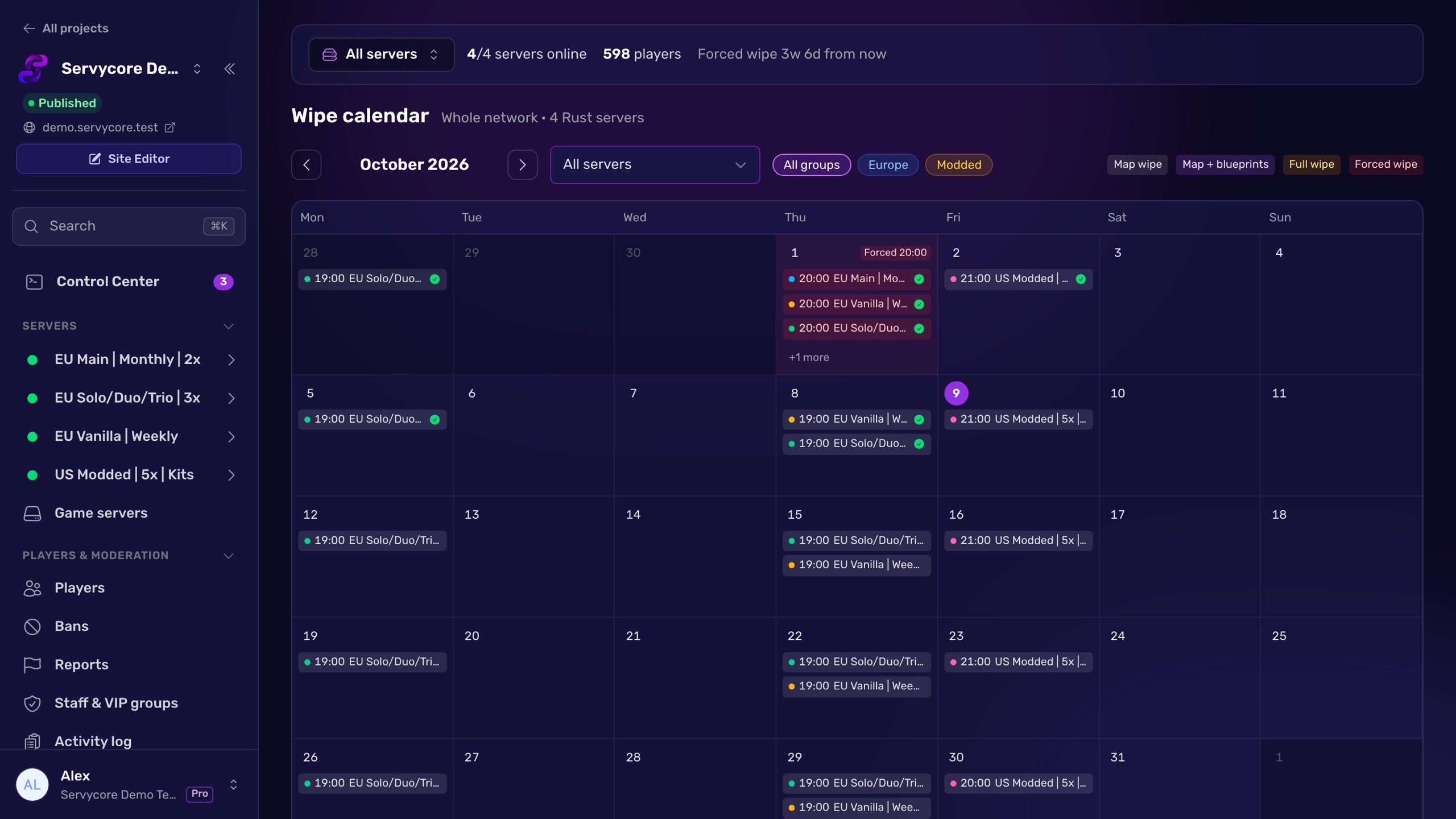
Servycore's Auto-wipe system does all of the above for you. It connects to your server with RCON and to your Pterodactyl, Pelican or WISP panel, then on wipe day it:
- waits for the new Rust build on Steam (and for Oxide or Carbon) on force wipe day,
- saves, stops the server, waits for it to go down, and takes a panel backup,
- deletes exactly the files of the wipe type you picked, never
cfg,player.tokens.dborcompanion.id, - picks the next map (fixed, random seed, a rotation or a custom URL),
- starts the server and checks that the wipe id changed,
- counts down in the chat, keeps Rust's wipe timer in sync after every restart, and announces the wipe on Discord.
If a step fails, the server is started again when nothing was deleted yet, and your staff gets an alert.
Questions people ask
What is the difference between a map wipe and a BP wipe?
A map wipe deletes the world: buildings, loot, inventories and positions. A blueprint wipe also deletes player.blueprints.*.db*, so players have to learn every item again. Player stats, identities and clans survive both.
Can I wipe a Rust server without stopping it?
No. The world is loaded in memory and saved over your deletions. Stop the server, delete the files, then start it again.
Does a wipe remove bans and admins?
Not if you follow the lists above. Bans and staff live in server/<identity>/cfg/ (bans.cfg and users.cfg), which no wipe should touch.
Why did my server load the old map after a wipe?
The old save was still there: a *.sav file was left in server/<identity>/, or you deleted files in the wrong identity folder. Check server.identity, delete the save files and start again. server.printwipeid tells you whether the world is new.
Do I have to wipe blueprints on force wipe day?
No. Every server has to wipe its map when the monthly update comes out; blueprints are your choice. Many servers wipe them once a month, on that day.
How do I tell players when the next wipe is?
Put your rhythm in the server name and description, use the weekly, biweekly or monthly browser tag (see server tags explained), and post the date on Discord. The Discord wipe announcement builder writes a message with a countdown in each reader's time zone.
With Servycore
Let your wipes run themselves
Servycore waits for the update, stops your server, backs it up, deletes exactly the right files, changes the map, starts it again and checks the world is new. Then it tells your players.
- How the Auto-wipe system works in the knowledge base
- Wipe announcements on Discord in the knowledge base
Read next
- Rust Wipe Planner Countdown to the next Rust force wipe in your time zone, your weekly or biweekly wipe days planned around it, and a calendar file for both.
- How to change the map on a Rust server Set a new seed and size or a custom map URL where Rust actually reads them, avoid loading an old save, and check the new map is live.
- Discord Wipe Announcement Builder Build a Rust wipe announcement for Discord with live timestamps that show in each member's time zone, a countdown, the connect address and the map. Free.
- Rust server tags explained Every Rust server browser tag, and the rules Rust uses to keep them: four at most, one per group, in a fixed order that can drop your region.