Rust Server Status Checker
Type a server address and see what the Steam server browser sees: online or not, players, queue, map and tags.
Paste the address you connect with (port 28015 if you leave it out): the answer comes from Steam's server list, the server itself is never contacted.
servycore.io/tools · Rust · rev. Oct 2026
Where the answer comes from
The tool reads Steam's server list, the list the in-game server browser shows. Every running Rust server sends Steam its name, its map, its player count, its build and a list of keywords: the browser tags (monthly, eu, vanilla…), the player counts again in a form that is not limited to 255 players, the queue, and the time the world was created, which is the last wipe.
Your server is never contacted: nothing logs in, nothing changes, and no packet is sent to it. It is the public information every player's browser already reads.
Which port to type
A Rust server listens on several ports:
- the game port (
server.port, usually 28015) is the one players connect to; - the RCON port (
rcon.port, often 28016) is for administration; - the query port is where the server answers the server browser. With the usual ports, Rust answers on the higher of the game and RCON ports plus one, so 28017.
Type the address you join with, game port included. The tool finds the server Steam lists on that IP with that game port (or that query port), and shows the query port Steam has. Many hosts give each server its own ports (a game port of 25002 with queries on 25004, for example).
When a server does not show up
- It is starting. A server loading its map is not listed until it is ready, which can take minutes after a wipe.
- It is on another port. Check the port in the address players use to connect.
- It is hidden from the browser. A server can run without being listed, for example while it is being set up.
- It is really down. Then the players can't join either.
A server that is not listed is checked again five minutes later at the earliest.
Keep an eye on it without checking by hand
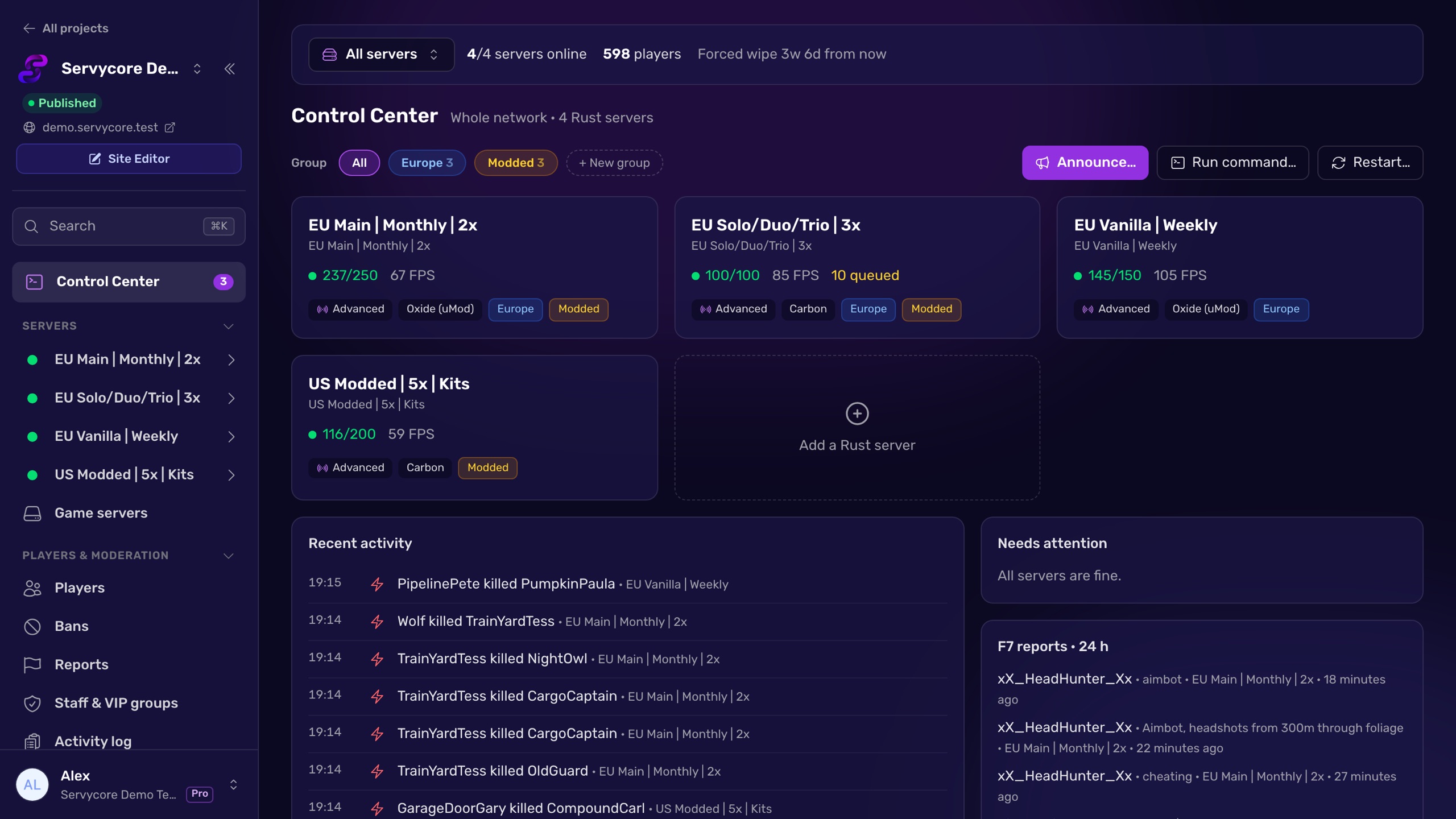
With Servycore, every server of your network is checked every minute: online or not, players, queue, FPS, entities and memory, with charts and history. When a server goes down, restarts when nobody planned it, or a plugin fails to load, your staff gets a Discord alert at once.
Questions people ask
What is the Rust query port?
The port where the server answers the Steam server browser. With the usual ports, 28015 for the game and 28016 for RCON, Rust answers queries on 28017. Hosts often assign other ports, which is why this tool looks the server up from the address you join with.
Why does the player count look wrong elsewhere on big servers?
The classic server browser answer stores the player count in one byte, so it cannot go past 255. Rust also sends the real numbers in its keywords, and this tool reads those.
Can I check a server on my home network?
No. Only public addresses are looked up. Private, local and reserved addresses are refused.
Does checking a server bother it?
No. The tool never contacts your server: it reads Steam's public server list.
How do I get alerts when my server goes down?
Servycore watches your servers every minute and posts an alert on your Discord when one goes offline or restarts unexpectedly.
With Servycore
Know before your players do
Servycore watches every server of your network every minute (players, queue, FPS, entities, memory) and posts on your Discord when one goes down, restarts unexpectedly or a plugin fails to load.
- What the Control Center does in the knowledge base
- Discord notifications in the knowledge base
Read next
- Rust Server Listing Builder Preview your Rust server listing as you type: name, description, browser tags and header image, checked against Rust's limits, with server.cfg and startup line.
- How to use RCON on a Rust server Turn on Rust WebRCON, connect, and learn which admin commands work over RCON, plus the password and IP-ban rules that lock people out.
- How to schedule restarts on a Rust server What the Rust restart command really does, why your host must bring the server back, how to cancel one, and how to schedule a daily restart.