Rust Server Convars
The Rust server settings worth knowing, with their default value and whether they go on the startup line or in server.cfg.
-
server.hostname
Listing
The server name in the server browser. Steam cuts it after 64 bytes; accents and emojis take more than one.
server.hostname "<name>"
Default:
My Untitled Rust Server, set it in server.cfg or on the startup lineLive change
-
server.description
Listing
The description shown on the server's page in the browser. Write \n for a new line; about 1,600 characters fit.
server.description "<text>"
Default:
No server description has been provided., set it in server.cfg or on the startup lineLive change
-
server.url
Listing
The website button on the server's page.
server.url "<https://…>"
Default:
, set it in server.cfg or on the startup lineLive change
-
server.headerimage
Listing
The banner image at the top of the server's page. server.writecfg saves it.
server.headerimage "<https://…>"
Default:
, set it in server.cfgLive change
-
server.logoimage
Listing
The logo shown next to the server. server.writecfg saves it.
server.logoimage "<https://…>"
Default:
, set it in server.cfgLive change
-
server.maxplayers
Listing
How many players can be connected at once; the rest wait in the queue.
server.maxplayers <number>
Default:
500, set it in server.cfg or on the startup lineLive change
-
server.censorplayerlist
Listing
Hides the real player list from Steam queries, so players are harder to track from outside.
server.censorplayerlist <true|false>
Default:
true, set it in server.cfg or on the startup lineNot verified
-
server.level
World
The map to load: Procedural Map, Barren, or a custom map name.
+server.level "<map>"
Default:
Procedural Map, set it on the startup lineStartup only
-
server.seed
World
The seed of the procedural map: same seed and size, same map.
+server.seed <number>
Default:
1337, set it on the startup lineserver.writecfg does not save it: keep it on the startup line.
Startup only
-
server.worldsize
World
The width of the procedural map in metres.
+server.worldsize <metres>
Default:
4500, set it on the startup lineserver.writecfg does not save it: keep it on the startup line.
Startup only
-
server.levelurl
World
Loads a custom map from a URL instead of generating one. On a procedural map Rust fills it with its own hosted copy.
+server.levelurl "<https://…/map.map>"
Default:
, set it on the startup lineStartup only
-
server.events
World
Turns Rust's timed events (patrol helicopter, cargo ship, airdrops…) on or off.
server.events <true|false>
Default:
true, set it in server.cfg or on the startup lineNot verified
-
server.radiation
World
Turns monument radiation on or off.
server.radiation <true|false>
Default:
true, set it in server.cfg or on the startup lineNot verified
-
server.stability
World
Turns building stability on or off. Off, blocks never collapse for lack of support.
server.stability <true|false>
Default:
true, set it in server.cfg or on the startup lineNot verified
-
env.time
World
Reads or sets the time of day, as a decimal hour (13.5 = 1:30 pm).
env.time <hour>
Not verified
-
env.daylength
World
How many real minutes one in-game day lasts.
env.daylength <minutes>
Not verified
-
Sets the date of the next wipe shown in the game menu, overriding every other wipe timer setting when in the future.
wipetimer.wipeunixtimestampoverride <unix time>
Default:
0, set it in server.cfg or on the startup lineNot saved by Rust: send it again after each restart.
Live change
-
wipetimer.wipedayofweek
World
Weekday of the wipe for the in-game timer, 0 = Sunday, 4 = Thursday.
wipetimer.wipedayofweek <0-6>
Default:
4, set it in server.cfg or on the startup lineNot verified
-
wipetimer.wipehourofday
World
Hour of the wipe for the in-game timer, as a decimal (14.5 = 2:30 pm).
wipetimer.wipehourofday <hour>
Default:
19, set it in server.cfg or on the startup lineNot verified
-
wipetimer.wipetimezone
World
Time zone of the in-game wipe timer, as a TZ identifier like Europe/Paris.
wipetimer.wipetimezone "<Area/City>"
Default:
Europe/London, set it in server.cfg or on the startup lineNot verified
-
A cron expression for the in-game wipe timer, for schedules the day and hour settings cannot express.
wipetimer.wipecronoverride "<cron>"
Default:
, set it in server.cfg or on the startup lineNot verified
-
server.pve
Gameplay
PvE mode: players cannot hurt each other. Rust adds the pve browser tag itself.
server.pve <true|false>
Default:
false, set it in server.cfg or on the startup lineLive change
-
server.woundingenabled
Gameplay
Whether players go down wounded after fatal damage instead of dying at once.
server.woundingenabled <true|false>
Default:
true, set it in server.cfgNot verified
-
server.crawlingenabled
Gameplay
Whether wounded players can crawl.
server.crawlingenabled <true|false>
Default:
true, set it in server.cfgNot verified
-
server.meleedamage
Gameplay
Multiplier of melee damage.
server.meleedamage <multiplier>
Default:
1, set it in server.cfgNot verified
-
server.arrowdamage
Gameplay
Multiplier of arrow damage.
server.arrowdamage <multiplier>
Default:
1, set it in server.cfgNot verified
-
server.bulletdamage
Gameplay
Multiplier of bullet damage.
server.bulletdamage <multiplier>
Default:
1, set it in server.cfgNot verified
-
server.bleedingdamage
Gameplay
Multiplier of bleeding damage.
server.bleedingdamage <multiplier>
Default:
1, set it in server.cfgNot verified
-
server.itemdespawn
Gameplay
How long a dropped item stays on the ground.
server.itemdespawn <seconds>
Default:
300, set it in server.cfg or on the startup lineNot verified
-
server.corpsedespawn
Gameplay
How long a player corpse stays on the map.
server.corpsedespawn <seconds>
Default:
300, set it in server.cfg or on the startup lineNot verified
-
server.respawnresetrange
Gameplay
Sleeping bags within this distance of a death share the respawn cooldown.
server.respawnresetrange <metres>
Default:
50, set it in server.cfg or on the startup lineNot verified
-
heli.lifetimeminutes
Gameplay
How long the patrol helicopter stays on the map.
heli.lifetimeminutes <minutes>
Default:
30, set it in server.cfg or on the startup lineNot verified
-
heli.bulletdamagescale
Gameplay
Multiplier of the patrol helicopter's bullet damage.
heli.bulletdamagescale <multiplier>
Default:
1, set it in server.cfg or on the startup lineNot verified
-
server.idlekick
Players & chat
Minutes without activity before a player is kicked; 0 turns it off.
server.idlekick <minutes>
Default:
30, set it in server.cfg or on the startup lineNot verified
-
server.idlekickmode
Players & chat
When the idle kick applies.
server.idlekickmode <number>
Default:
1, set it in server.cfg or on the startup lineNot verified
-
server.idlekickadmins
Players & chat
Idle kick for admins; 0 never kicks them.
server.idlekickadmins <minutes>
Default:
0, set it in server.cfg or on the startup lineNot verified
-
chat.globalchat
Players & chat
Whether players can write in global chat.
chat.globalchat <true|false>
Default:
true, set it in server.cfg or on the startup lineNot verified
-
chat.serverlog
Players & chat
Whether chat messages are written to the server log.
chat.serverlog <true|false>
Default:
true, set it in server.cfg or on the startup lineNot verified
-
server.combatlogsize
Players & chat
How many hits the combat log keeps per player.
server.combatlogsize <events>
Default:
30, set it in server.cfg or on the startup lineNot verified
-
server.combatlogdelay
Players & chat
Hits newer than this stay hidden from the combat log.
server.combatlogdelay <seconds>
Default:
10, set it in server.cfg or on the startup lineNot verified
-
server.printreportstoconsole
Players & chat
Asks Rust to print player F7 reports in the console. Recent builds write [PlayerReport] lines whatever its value.
server.printreportstoconsole <true|false>
Default:
false, set it in server.cfgNot verified
-
server.reportsserverendpoint
Players & chat
An address that receives the feedback reports of the F1 menu (bug, idea). Player reports do not go there.
server.reportsserverendpoint "<https://…>"
Default:
, set it in server.cfgNot verified
-
server.bansserverendpoint
Players & chat
A central ban list: at every connection Rust asks this address about the SteamID and refuses the player when it answers 200.
server.bansserverendpoint "<https://…/>"
Default:
, set it in server.cfg or on the startup lineNot saved by Rust. Players already online are not kicked.
Live change
-
server.bansserverfailuremode
Players & chat
What happens when the ban list does not answer: 0 lets players in, 1 refuses them.
server.bansserverfailuremode <0|1>
Default:
0, set it in server.cfg or on the startup lineNot verified
-
server.bansservertimeout
Players & chat
How long Rust waits for the ban list.
server.bansservertimeout <seconds>
Default:
5, set it in server.cfg or on the startup lineNot verified
-
server.ip
Network & security
The address the server listens on; empty listens on every interface.
+server.ip <address>
Default:
, set it on the startup lineStartup only
-
server.port
Network & security
The game port players connect to.
+server.port <port>
Default:
28015, set it on the startup lineStartup only
-
server.queryport
Network & security
The port the Steam server browser queries. With the defaults Rust answers on the port after the highest of the game and RCON ports.
+server.queryport <port>
Default:
0, set it on the startup lineStartup only
-
server.encryption
Network & security
Network encryption level between players and the server.
+server.encryption <0|1|2>
Default:
2, set it on the startup lineStartup only
-
app.port
Network & security
The port of the Rust+ companion server, through which players pair the Rust+ app.
+app.port <port>
Startup only
-
app.publicip
Network & security
The public address Rust+ gives the app, for servers behind NAT.
+app.publicip <address>
Default:
, set it on the startup lineStartup only
-
rcon.port
RCON
The RCON port. Left at 0, RCON uses the game port number.
+rcon.port <port>
Default:
0, set it on the startup lineStartup only
-
rcon.ip
RCON
The address RCON listens on; empty listens on every interface.
+rcon.ip <address>
Default:
, set it on the startup lineStartup only
-
rcon.web
RCON
WebSocket RCON (WebRCON). False falls back to the old Source RCON, which Facepunch deprecated.
+rcon.web <true|false>
Default:
true, set it on the startup lineStartup only
-
rcon.print
RCON
Prints the commands received over RCON in the server console.
rcon.print <true|false>
Default:
false, set it in server.cfg or on the startup lineNot verified
-
Wrong passwords allowed before the IP is banned from RCON.
rcon.maxpasswordfailures <number>
Default:
5, set it in server.cfg or on the startup lineNot verified
-
rcon.banduration
RCON
How long an IP stays banned from RCON after too many wrong passwords.
rcon.banduration <seconds>
Default:
300, set it in server.cfg or on the startup lineNot verified
-
Bans IPs with too many wrong passwords for good instead of for a while.
rcon.permanentbanfailedips <true|false>
Default:
false, set it in server.cfg or on the startup lineNot verified
-
Logs wrong passwords and attempts from banned IPs.
rcon.logfailedattempts <true|false>
Default:
true, set it in server.cfg or on the startup lineNot verified
-
rcon.maxconnections
RCON
Most RCON connections at once; -1 removes the limit. Needs a restart.
rcon.maxconnections <number>
Startup only
-
Most RCON connections from one IP; -1 removes the limit. Needs a restart.
rcon.maxconnectionsperip <number>
Startup only
-
server.identity
Saves & performance
The folder under server/ that holds the save, configs, bans and roles of this server.
+server.identity "<folder>"
Default:
my_server_identity, set it on the startup lineStartup only
-
server.saveinterval
Saves & performance
How often the world is saved.
server.saveinterval <seconds>
Default:
600, set it in server.cfg or on the startup lineNot verified
-
server.savebackupcount
Saves & performance
How many previous saves Rust keeps next to the current one.
server.savebackupcount <number>
Default:
2, set it in server.cfgNot verified
-
fps.limit
Saves & performance
The server frame rate cap. Applied at once.
fps.limit <fps>
Default:
240, set it in server.cfgLive change
-
server.tickrate
Saves & performance
Network ticks per second.
server.tickrate <ticks>
Default:
10, set it in server.cfg or on the startup lineNot verified
-
server.autouploadmap
Saves & performance
Uploads the generated map so players download it instead of generating it themselves.
server.autouploadmap <true|false>
Default:
true, set it in server.cfgNot verified
-
decay.scale
Decay
Multiplier of all building decay; 0 turns decay off.
decay.scale <multiplier>
Default:
1, set it in server.cfg or on the startup lineNot verified
-
decay.upkeep
Decay
Whether tool cupboards charge upkeep to protect a base from decay.
decay.upkeep <true|false>
Default:
true, set it in server.cfg or on the startup lineNot verified
-
decay.tick
Decay
How often decay damage is applied.
decay.tick <seconds>
Default:
600, set it in server.cfg or on the startup lineNot verified
-
How long the upkeep cost lasts: the base's daily cost is counted over this period.
decay.upkeep_period_minutes <minutes>
Default:
1440, set it in server.cfg or on the startup lineNot verified
-
How long a base stays protected after its cupboard was destroyed.
decay.upkeep_grief_protection <minutes>
Default:
1440, set it in server.cfg or on the startup lineNot verified
-
decay.upkeep_heal_scale
Decay
How fast blocks heal back when upkeep is paid.
decay.upkeep_heal_scale <multiplier>
Default:
1, set it in server.cfg or on the startup lineNot verified
-
How fast blocks inside a base decay compared to outside ones.
decay.upkeep_inside_decay_scale <multiplier>
Default:
0.1, set it in server.cfg or on the startup lineNot verified
-
decay.duration_twig
Decay
Hours an unprotected twig block takes to decay.
decay.duration_twig <hours>
Default:
1, set it in server.cfg or on the startup lineNot verified
-
decay.duration_wood
Decay
Hours an unprotected wood block takes to decay.
decay.duration_wood <hours>
Default:
3, set it in server.cfg or on the startup lineNot verified
-
decay.duration_stone
Decay
Hours an unprotected stone block takes to decay.
decay.duration_stone <hours>
Default:
5, set it in server.cfg or on the startup lineNot verified
-
decay.duration_metal
Decay
Hours an unprotected sheet metal block takes to decay.
decay.duration_metal <hours>
Default:
8, set it in server.cfg or on the startup lineNot verified
-
decay.duration_toptier
Decay
Hours an unprotected armored block takes to decay.
decay.duration_toptier <hours>
Default:
12, set it in server.cfg or on the startup lineNot verified
80 settings, checked against the current Rust server build and its code.
servycore.io/tools · Rust · rev. Oct 2026
What a convar is
A convar is a setting of the Rust server with a name and a value: server.maxplayers 100, decay.scale 0.5, server.pve true. Type the name alone to read the current value (server.maxplayers answers server.maxplayers: "100"), and the name followed by a value to change it.
Every setting in the list above is read from a Rust server running the current build, with the default value taken from Rust's own code. Settings that disappeared from the game, like the old server.secure, are not listed: Rust simply ignores a name it does not know, and says nothing.
Three places to put a setting
- The startup line, the command your host uses to launch the server, with a
+before each setting:+server.port 28015 +server.seed 12345. Some settings are only read there, while the server starts: the ports, the identity folder, the map (seed, size, level, custom map URL) and the RCON settings, including the RCON password. server/<identity>/cfg/server.cfg, a text file with one setting per line, run at every start. It is the right place for your name, description, tags, gameplay and decay settings.- Live, in the console or over RCON: the change applies at once (when the setting supports it) but is lost at the next restart unless you also save it.
The list above tells you for each setting whether it belongs on the startup line, in server.cfg, or either.
Saving what you changed live
server.writecfg writes the settings Rust marks as saved into cfg/serverauto.cfg, which runs before server.cfg at the next start. Only some settings are saved this way: the header and logo images, the browser tags, the frame rate cap, the damage multipliers and a few others. The name, the description, the seed and the map size are not: put those in server.cfg or on the startup line, or they come back to their old value after a restart.
Keep in mind the order: serverauto.cfg first, then server.cfg. A value you saved live can be overwritten at the next start by an older line in server.cfg.
Settings that change the map
server.seed, server.worldsize, server.level and server.levelurl are only read when the world loads. Changing them live does nothing to the running map: change them on the startup line and restart. A procedural map with a new seed or size gets a new save file name, so Rust generates a fresh world (the old save stays unused on disk). A custom map works the other way: if the map file keeps the same name, Rust reloads the old save of that map, which is why custom map URLs often carry the date.
Your listing in the server browser
The name, description, website, images and tags shape how players find you. Rust keeps four browser tags at most, one per group (wipe rhythm, difficulty, region, style), in lowercase, and drops modded, oxide and carbon because the framework marks the server itself. The Server Listing Builder previews your listing as you type and writes the lines for you.
Change settings without the console
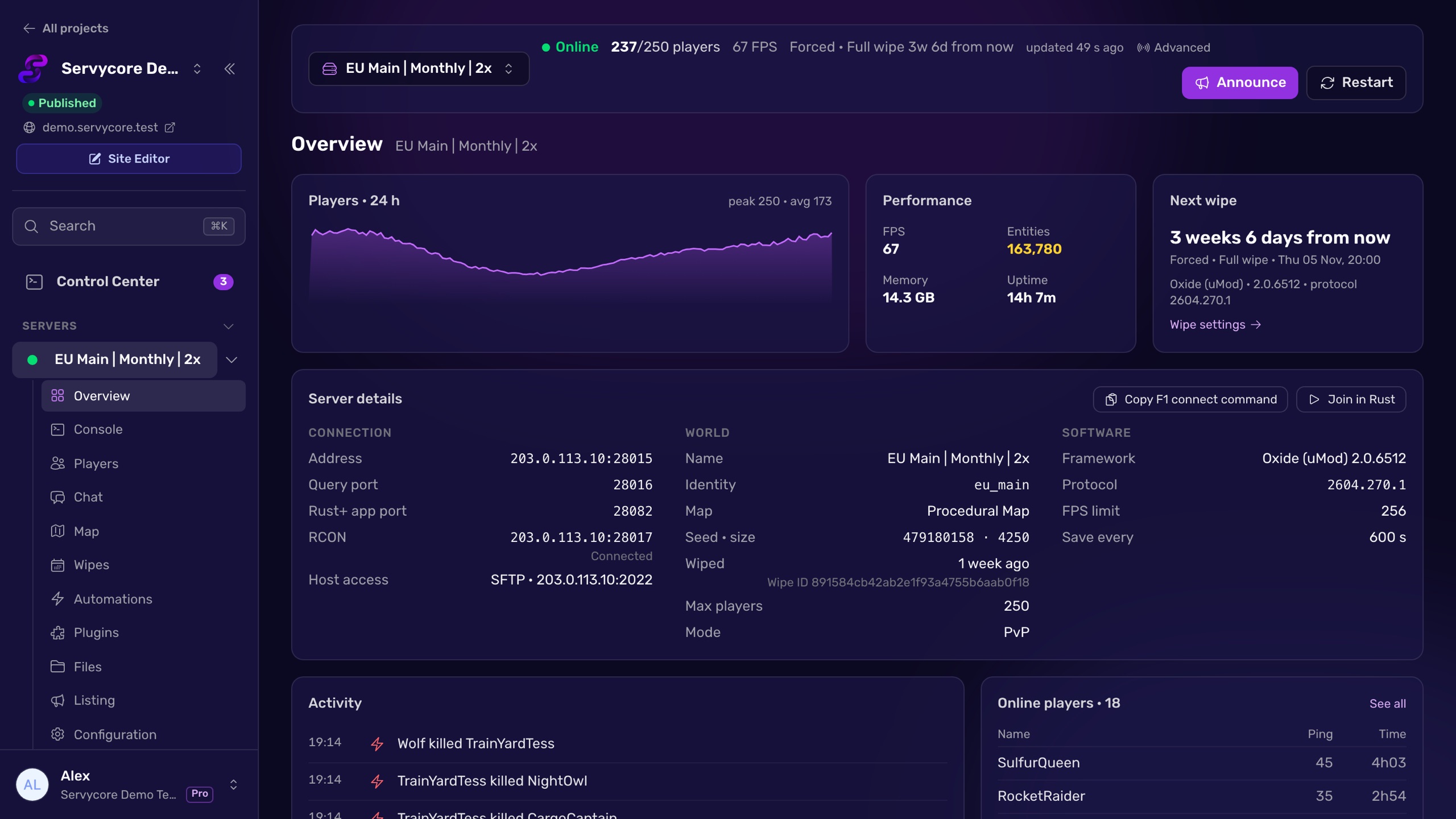
With Servycore, your server's name, description, images, tags and the usual gameplay settings are edited from the panel, applied live over RCON and saved for the next restart. You can compare two servers side by side and copy settings from one to the others, and the panel reads the current values back every few minutes, so you always see what the server really runs.
Questions people ask
How do I see the current value of a convar?
Type its name alone in the F1 console, the server console or over RCON: server.saveinterval answers with the value in use.
Why did my setting reset after a restart?
It was changed live and never saved. Run server.writecfg for the settings Rust saves, and put the others (name, description, seed, map size) in server.cfg or on the startup line.
Where is server.cfg?
In server/<identity>/cfg/server.cfg, next to the save of your server. The identity is the folder name set with +server.identity on the startup line.
Can I change the RCON password from the console?
No. Rust reads it only from the startup line, +rcon.password "…". If it is empty or literally password, RCON does not start at all. The RCON guide covers the rest.
Why does changing the seed not change the map?
The seed is only read when the world loads, so a change typed live does nothing to the running map. Put the new seed on the startup line and restart: Rust generates the new map at the next start.
With Servycore
Change settings from the panel
Servycore edits your server name, description, images and tags live over RCON and copies your settings from one server to the others.
- Server listing, map and growth in the knowledge base
- What the Control Center does in the knowledge base
Read next
- Rust Server Listing Builder Preview your Rust server listing as you type: name, description, browser tags and header image, checked against Rust's limits, with server.cfg and startup line.
- Rust Admin Commands Rust admin and RCON commands with syntax, examples and which ones work over RCON, checked against Rust's own code. Players, bans, staff, server, Oxide and Carbon.
- How to use RCON on a Rust server Turn on Rust WebRCON, connect, and learn which admin commands work over RCON, plus the password and IP-ban rules that lock people out.