How to add an admin on a Rust server
Make a player owner or moderator on your Rust server with ownerid and moderatorid, save it with server.writecfg, and avoid the traps.
6 minute read, checked against Rust's own code. Updated .
To make someone an admin on a Rust server, run ownerid <SteamID64> "<name>" "<reason>" from the server console or RCON, then server.writecfg. For a moderator, use moderatorid instead. If the player is online they get their admin powers at once; otherwise the role waits for them in the server's user list.
The three roles Rust knows
Vanilla Rust has exactly three staff-like roles, stored per SteamID in the server's user list (users.cfg in server/<identity>/cfg/):
| Role | Command | What it gives |
|---|---|---|
| Owner | ownerid |
Full admin: every admin command, the F1 console, and the right to name other owners |
| Moderator | moderatorid |
The admin flag and admin commands, but not ownerid |
| Skip queue | skipqueueid |
Joins without waiting in the queue, no admin rights |
There is no "VIP" or custom rank in vanilla Rust. Anything finer than this (kits, teleports, cosmetic perks) comes from Oxide or Carbon groups; see how to give VIP on a Rust server.
Step by step: add an owner or a moderator
-
Get the player's SteamID64. It is the 17-digit number starting with 7656119. If you only have a
STEAM_0:…id, a[U:1:…]id or a profile link, convert it with the SteamID converter. Rust refuses anything else with "This doesn't appear to be a 64bit steamid". -
Open a console that can run admin commands: the server console of your host, an RCON client (see how to use RCON on a Rust server), or the F1 console of an existing owner in game.
-
Run the command, with the name and a note in quotes:
ownerid 76561197960287930 "Alex" "Head admin"
moderatorid 76561197960287930 "Alex" "Weekend moderator"
Rust answers "Added owner Alex, steamid 76561197960287930" (or "Added moderator …"). The name and the note are only labels in the user list; they do not need to match the Steam name.
-
Save: run
server.writecfg. It writesusers.cfg(andbans.cfgand the saved settings) so the role survives a restart, whatever the command already saved on its own. -
Check: if the player is online, they get the admin flag immediately and can open the admin commands in F1. If they are offline, the role is applied when they join.
Removing a role
removeowner 76561197960287930
removemoderator 76561197960287930
removeskipqueue 76561197960287930
server.writecfg
Each command only removes its own role: removeowner on a moderator answers "isn't an owner" and changes nothing. If the player is online, the admin flag is taken away at once.
Traps that catch most server owners
Moderators cannot create owners
ownerid run by a moderator from F1 is refused with "Moderators cannot run ownerid". Only an owner, the server console or RCON can add an owner.
One role per SteamID
Rust keeps one entry per SteamID in its user list: Owner, Moderator, Banned or Skip queue. The commands replace each other:
moderatoridon an owner demotes them to moderator.owneridormoderatoridon a player who is on the server's ban list replaces the ban: the player is no longer banned.skipqueueiddoes nothing for an owner or a moderator, and is refused for a banned player.
So never give a temporary moderator role to someone who is already an owner, and check the ban list before promoting a player.
Roles never expire, and there is no list command
Rust has no end date for a role, and no command lists the owners and moderators. The only record is users.cfg. If you hand out roles for an event or a trial week, write down who to remove, and when.
Oxide and Carbon add their own admin group
With Oxide, every owner is added to the Oxide admin group when they connect, and Oxide never removes them from it. Removing the owner role is therefore not enough: also run oxide.usergroup remove 76561197960287930 admin. Carbon follows the role on each connection and removes the group by itself. More on the two frameworks in Oxide vs Carbon.
Do you need owners at all?
Many networks give moderator to their staff and keep owner for one or two people. Moderators get the admin flag and the admin commands; they just cannot create owners. The list of what each admin command does, and whether it also works over RCON, is in the Rust admin commands reference.
With Servycore
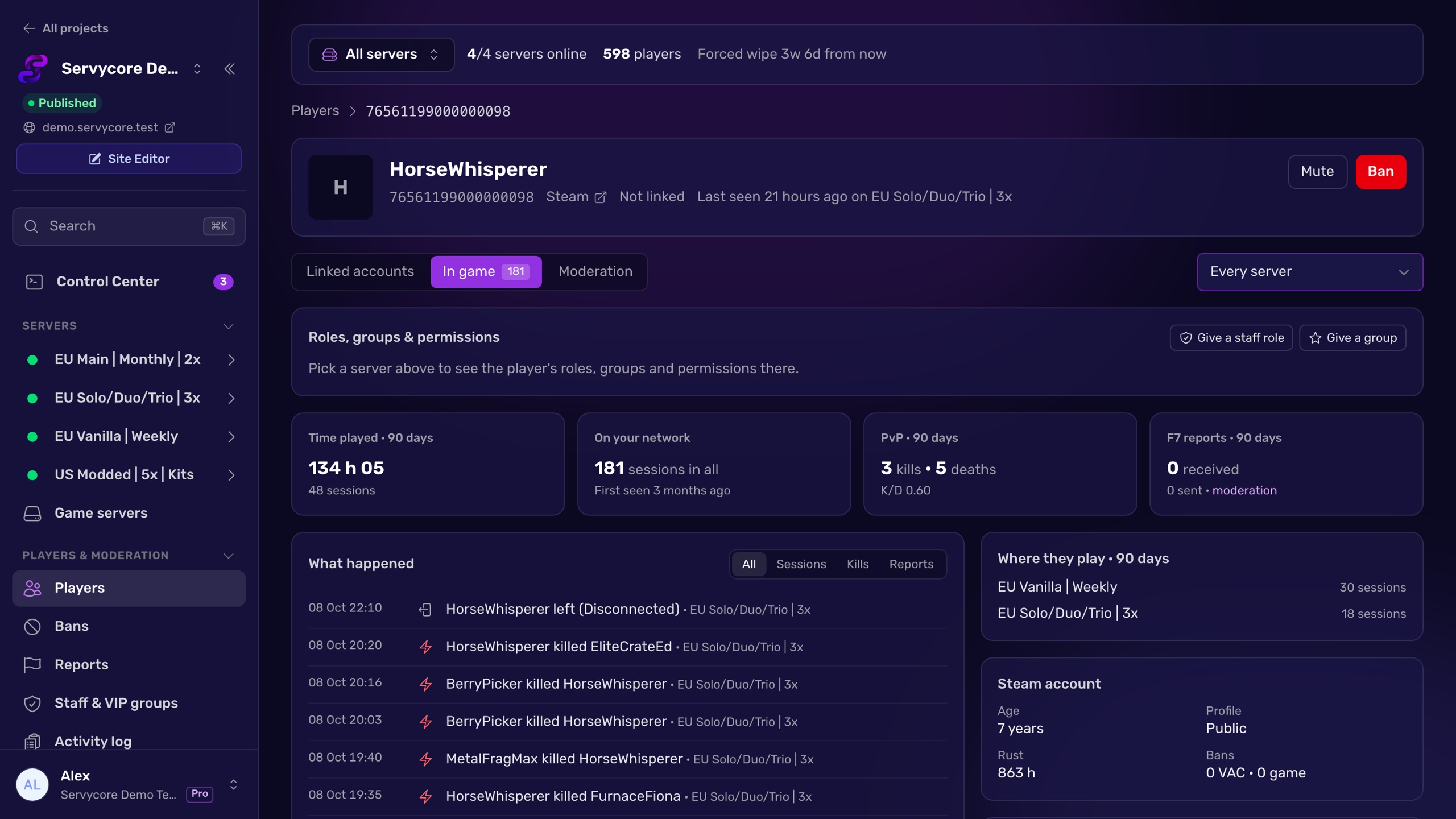
Servycore's in-game staff page gives Owner, Moderator or Skip queue on every server of your network, or on the servers you pick, with an optional end date (a day, a week, a month or no end). It runs ownerid / moderatorid and server.writecfg for you, retries a server that was offline, and gives the role to servers you add later. When a role ends it is removed on its own, and Servycore keeps the highest active role on each server, so a temporary moderator role never demotes an owner. A player who is banned on your network cannot be given a role by mistake, and every change lands in the activity log.
Questions people ask
What is the command to make someone admin on Rust?
ownerid <SteamID64> "<name>" "<reason>" for full admin, or moderatorid for a moderator, from the server console, RCON or the F1 console of an owner. Then server.writecfg to save it.
Why does Rust say "This doesn't appear to be a 64bit steamid"?
The id is not a SteamID64. Rust only accepts the 17-digit number starting with 7656119. Convert a STEAM_0: id, a [U:1:] id or a profile link with the SteamID converter.
How do I see who is admin on my Rust server?
Rust has no command that lists owners and moderators. Open server/<identity>/cfg/users.cfg on the server: each line is one SteamID with its role.
Can a moderator ban players?
Yes. Moderators have the admin flag and can use the admin commands, including ban, kick and mute. The one thing they cannot do is run ownerid.
Does making a banned player admin unban them?
Yes. Rust keeps one entry per SteamID, so ownerid or moderatorid replaces a ban on that server. Check the ban list before you promote someone.
Do I need to restart the server after adding an admin?
No. An online player gets the admin flag immediately; an offline player gets it when they join. Just run server.writecfg so the role is kept after the next restart.
With Servycore
Staff roles on every server, with an end date
Servycore gives owner, moderator or skip queue on your whole network or the servers you pick, with an optional end date, and removes it when it ends. A temporary role never demotes an owner.
- Staff, groups and permissions in the knowledge base
- Players and moderation in the knowledge base
Read next
- SteamID Converter Convert a SteamID64, STEAM_0:X:Y, [U:1:N] or Steam profile link into every other format. Free, instant, no Steam API call.
- Rust Admin Commands Rust admin and RCON commands with syntax, examples and which ones work over RCON, checked against Rust's own code. Players, bans, staff, server, Oxide and Carbon.
- How to give VIP on a Rust server Create a VIP group in Oxide or Carbon, give it plugin permissions and add players with usergroup add, on every server, without the usual traps.
- Oxide vs Carbon: which Rust modding framework? Oxide (uMod) and Carbon compared for Rust server owners: commands, folders, admin groups, plugin compatibility and how to switch between them.