Included in every plan, Free too.
The blog feature lets you publish posts directly on your project's portfolio. Keep your community up to date with server news, patch notes, events, and announcements.
Accessing the Blog
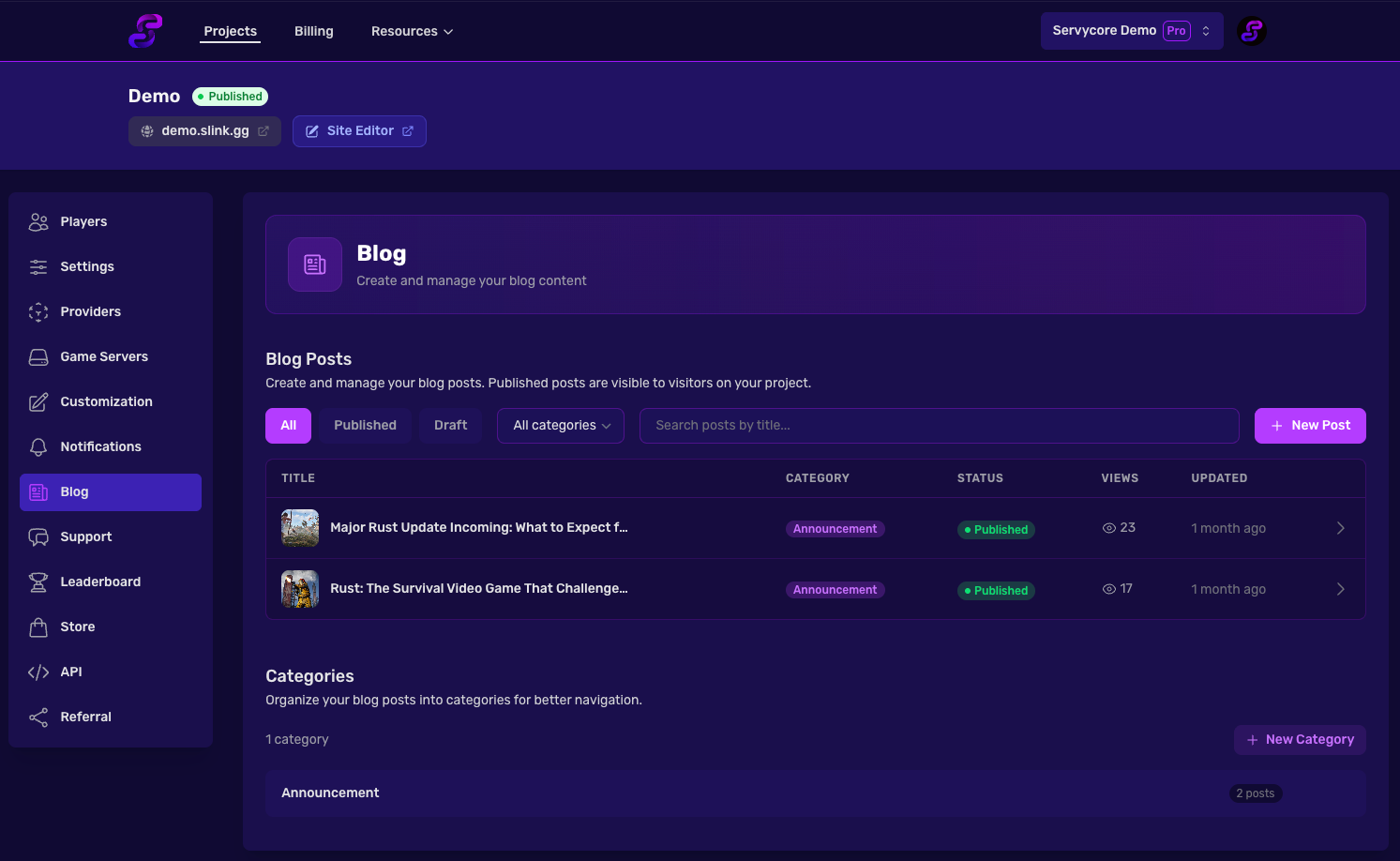
Navigate to Panel > Your Project > Blog to manage your posts and categories.
Creating a Post
Click New Post to open the post editor. Fill in the following fields:
| Field | Description |
|---|---|
| Title | The post title (max 255 characters). A URL slug is auto-generated from it |
| Category | Assign a category to organize your posts |
| Content | Rich text editor with formatting, images, and file attachments |
| Published | Toggle to publish or keep as draft |
SEO Fields
| Field | Description |
|---|---|
| Meta Title | Custom page title for search engines (max 70 characters) |
| Meta Description | Description shown in search results (max 160 characters) |
Images
| Image | Description |
|---|---|
| Featured Image | Main image displayed on the post card and at the top of the article |
| Social Image | Image used when sharing on social media. Falls back to the featured image if not set |
Managing Categories
From the blog page, you can create and manage categories to organize your posts. Each category has a name and an auto-generated slug.
Deleting a category does not delete the posts assigned to it — they will simply no longer have a category.
Post Status
Posts can be either Published or Draft:
- Published posts are visible on your portfolio and accessible to everyone
- Draft posts are only visible in the panel and won't appear publicly
The publication date is automatically set when a post is first published.
Notes
- Posts track view counts automatically
- Blog posts can be shared via the Discord bot using the
/newscommand - An excerpt is auto-generated from the post content for previews
Related articles
Themes & Customization
Customize your Servycore portfolio — choose themes, edit navbar, hero and footer, add cust...
Portfolio & Pages
5 min read
Discord Bot Commands
Complete reference for Servycore Discord bot slash commands — /link, /stats, /server, /sup...
Discord Bot
4 min read
Discord Webhook Notifications
Set up Discord webhook notifications on Servycore — get real-time alerts for player accoun...
Notifications
2 min read