The store feature integrates with Tebex to display your in-game products directly on your project's portfolio. All products, categories, and pricing are managed through your Tebex dashboard — Servycore pulls and displays them on your website.
Accessing Store Settings
Navigate to Panel > Your Project > Store to configure your Tebex integration.
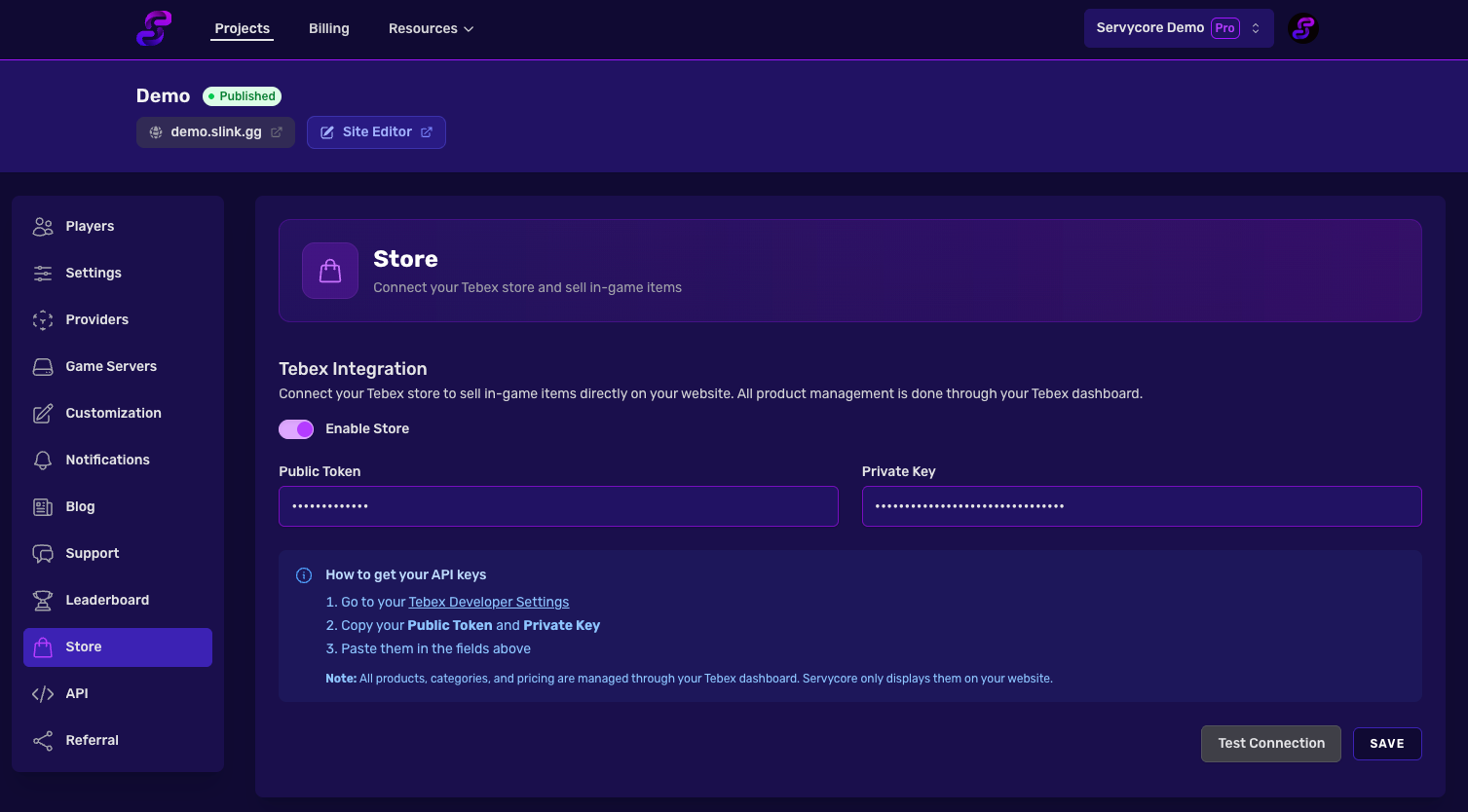
Configuration
| Setting | Description |
|---|---|
| Enable Store | Toggle to enable or disable the store on your portfolio |
| Public Token | Your Tebex public API token |
| Private Key | Your Tebex private API key |
Getting Your API Keys
- Go to your Tebex Developer Settings
- Copy your Public Token and Private Key
- Paste them in the fields on the Store settings page
Testing the Connection
After entering your credentials, click Test Connection to verify they are valid. Servycore will confirm whether the credentials are accepted by the Tebex API.
Cache Management
Servycore caches your store data for performance. If you update products, categories, or pricing on your Tebex dashboard, click Clear Cache to refresh the data displayed on your portfolio.
Notes
- All product management (creation, pricing, descriptions, images) is done through your Tebex dashboard
- API credentials are stored securely and encrypted
- The store page is publicly accessible on your portfolio when enabled
Related articles
Themes & Customization
Customize your Servycore portfolio — choose themes, edit navbar, hero and footer, add cust...
Portfolio & Pages
5 min read
Plans & Subscription
Compare Servycore subscription plans — features, pricing, player limits, and billing manag...
Billing
3 min read
Creating Your First Project
Step-by-step guide to create your first Servycore project — configure settings, subdomain,...
Getting Started
2 min read