The Servycore Discord bot provides slash commands for your community members to link accounts, view stats, and interact with your project directly from Discord.
Prerequisites
- The Servycore Discord bot added to your server
- Discord provider configured in your project (see Discord Account Linking)
Commands Overview
| Command | Description | Access |
|---|---|---|
/link |
Get the account linking page | Everyone |
/me |
View your linked account status | Everyone |
/profile |
Same as /me |
Everyone |
/stats |
View leaderboard stats | Everyone |
/lookup |
Look up any player's info | Admin only |
/news |
Show the latest blog post | Everyone |
/server |
Show server status | Everyone |
/servers |
List all game servers | Everyone |
/support |
Manage support tickets | Everyone |
/wipe |
Next wipe of each Rust server | Everyone (Control Center) |
/map |
Current map of each Rust server | Everyone (Control Center) |
/online |
Players online and in the queue | Everyone (Control Center) |
/vote |
Where to vote and the top voters | Everyone (Control Center) |
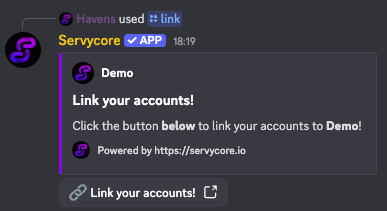
/link
Shows an embed with a button that takes players to your project website to link their accounts.
/me and /profile
Displays the user's linked account status across all providers (Steam, Discord, Twitch). If the leaderboard is enabled, also shows current wipe stats like kills, deaths, K/D ratio, and playtime.
/stats
View leaderboard statistics including combat stats (kills, deaths, K/D, headshots, damage) and activity stats (playtime, resources, crates). Admins can look up other players by passing the optional player argument.
/lookup (Admin Only)
Look up any player by Steam ID, Discord ID, or @mention. Displays comprehensive information about linked accounts and membership status.
/news
Displays the latest blog post from your project with a button to read the full article.
/server
Shows the status of your primary game server including player count, map info, last wipe date, and a Connect button that opens the steam:// URL directly.
/servers
Lists all connected game servers (up to 10) with status indicators and connect buttons.
/support
Manage support tickets directly from Discord with three subcommands:
/support create <category> <title> <message>— Create a new ticket/support reply <ticket> <message>— Reply to an existing ticket/support list— List your open tickets
Rust commands (Control Center)
For Rust networks with the Control Center. They only show information: nothing in Discord can change your servers or your players, staff actions stay in the panel.
/wipelists the next wipe of each server, shown in each member's timezone, from your auto-wipe schedule (or the forced wipe)./mapshows the current map of each server: size, seed, RustMaps link and the rendered map image when there is one (4 servers at most)./onlineshows the players online and in the queue on each server, with the total of the network. Only numbers, never player names./votegives the rust-servers.net vote page of each server that has a Give the vote reward automation, the top voters of the month and the chat command to claim the reward.
With several servers, each command answers with one line per server. Pick one with the server option: start typing and Discord suggests the names of your servers.
Counter channels (Control Center)
The bot can rename channels with the live player count, for example 🟢 EU Main: 12/200 or 🟢 Online: 120/400 for the whole network. Set them in Providers > Discord (card Discord counter channels, under the Discord settings):
- Create a voice channel (deny Connect if members should not join it).
- Give the Servycore bot the Manage Channels permission on that channel.
- Copy the channel ID (right click the channel, with Developer Mode on) and paste it, then pick the whole network or one server.
The Channel text starts with a ready-made text and can be changed freely. Its variables are replaced with live values, and each one shows its current value next to it (click one to add it): {status} (🟢 when a server is online, 🔴 when none is), {name} (the server's name, or the project's for the whole network), {players}, {max} (slots), {queue} and {servers} (servers online / servers). The text needs at least one variable, otherwise the channel would never change. A preview shows the channel as it will look in Discord. Discord lets a bot rename a channel twice every 10 minutes, so a counter is updated when the count changes, at most every 5 minutes. The bot only renames the channels listed there, up to 5.
Notes
- All commands are slash commands (type
/in Discord to see them) - The bot must have proper permissions in your Discord server to respond
- Admin commands are restricted based on Discord server roles