How to link Discord to your Rust server
Reward Discord members in game: how linking connects Discord and Steam accounts, the commands that give and remove rewards, roles and rechecks.
7 minute read, checked against Rust's own code. Updated .
Linking Discord to a Rust server means connecting each player's Discord account to the Steam account they play with, so your server can reward them in game. The player signs in once with Steam and once with Discord on a web page, your Discord bot checks that they are in your Discord server (and, if you want, that they boost it), and your Rust server runs a command, usually adding their SteamID to an Oxide or Carbon group. When they leave your Discord, the opposite command takes the reward back.
What linking actually does
Your Rust server only knows a player by their SteamID64. Discord only knows them by their Discord ID. Nothing in Rust connects the two, so linking is the step where a player proves both accounts belong to them:
- The player opens a link page and signs in with Steam (that gives you their SteamID64).
- They authorize with Discord (that gives you their Discord ID).
- Your bot checks the condition you reward: member of your Discord server, booster of it, or both.
- Your server runs the reward command with their SteamID, for example
oxide.usergroup add 76561197960287930 discord.
From then on, the link is a fact you can check again: when the condition stops being true, the same system runs the removal command (oxide.usergroup remove …) and the in-game perks go away.
Need to check a SteamID by hand? The SteamID converter turns any format into the SteamID64 Rust commands expect.
The pieces you need
Whatever tool you use, a working Discord link on Rust always needs the same five things:
- A page where players sign in with Steam and Discord. Steam sign-in gives you a trustworthy SteamID; Discord OAuth2 gives you their Discord account. Typing a SteamID into a form proves nothing.
- A Discord bot in your server. Only a bot that is a member of your guild can check membership and boosts, and give or remove roles. Its own role must sit above the roles it hands out in Server Settings > Roles, or Discord refuses.
- A way to run commands on the Rust server. RCON, a plugin on the server, or your host's panel: something has to send
usergroup addwhen a player links. - A group with the perks. Create the group once, give it the permissions of your plugins, and the linking command only has to add players to it.
- A recheck. People leave Discord servers and stop boosting. Without a regular recheck, rewards stay forever.
Rewarding the link in game
The cleanest setup is one group per reward, created once on each server:
| Oxide | Carbon | |
|---|---|---|
| Create the group | oxide.group add discord |
c.group add discord |
| Give it a permission | oxide.grant group discord <permission> |
c.grant group discord <permission> |
| On link | oxide.usergroup add {SteamID} discord |
c.usergroup add {SteamID} discord |
| On unlink | oxide.usergroup remove {SteamID} discord |
c.usergroup remove {SteamID} discord |
Two traps worth knowing:
- Use the prefix of your framework. Carbon refuses the
oxide.commands; writec.commands on a Carbon server. - Carbon only knows players who joined the server once. A
c.usergroup addsent for a player who links before ever playing on that server is answered "Couldn't find that player." and nothing is given. The command has to be sent again at their first connection.
A missing group fails too: Oxide answers that the group doesn't exist, Carbon that it could not be found. Create the group first, then link.
Keeping rewards honest
Linking is not a one-time event. Decide what happens when the condition changes:
- Left your Discord server: the unlink command runs and the in-game group is removed.
- Stopped boosting: if you reward boosters separately (a
boostergroup, for example), only that reward goes. - Unlinked their account: every reward of that account is taken back.
A recheck catches all three. Run it on a schedule, and ideally when the player joins your server, so a change never waits days.
Discord roles for linked players
Linking works in both directions. Besides the in-game group, the bot can give a Discord role to every linked member, so you can open a "verified" channel or show who plays on your servers. The same hierarchy rule applies: the bot's role must be above that role.
On a Rust network you can go one step further and tie Discord roles to in-game groups: whoever holds the vip group in game gets your VIP role on Discord, and loses it when the group ends.
How Servycore does it
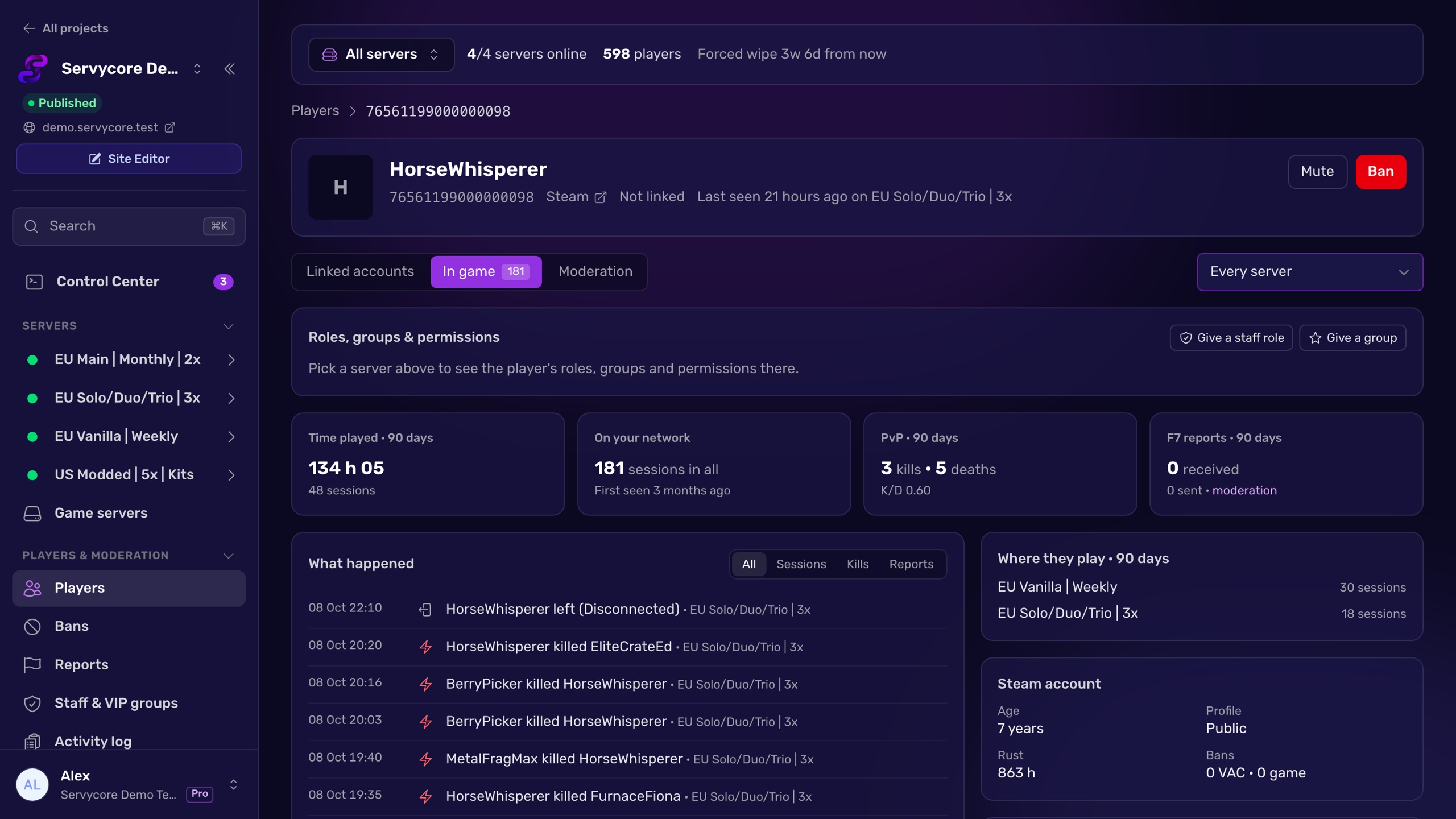
Account linking is the heart of Servycore, and every piece above is built in:
- Your community website has the link page. Players click Link Discord, Link Steam or Link Twitch. Your Discord members can also type
/linkto the Servycore bot, and on Rust the Servycore plugin adds an in-game/linkcommand. - Linking commands per provider: Steam group member, Discord guild member, Discord guild Nitro (boosters), Twitch follower and Twitch subscriber. Each has On link and On unlink commands with the
{SteamID}and{SteamName}variables, sent through RCON, the Servycore plugin or your Pterodactyl panel. - The usual commands are written for you. On a new Rust server, Servycore adds the
usergroup add/removecommands for the providers your project uses at the first RCON connection, once it knows whether the server runs Oxide or Carbon. - The Carbon trap is handled. A command answered "Couldn't find that player." shows Waiting for join, and on a server of the Control Center it is sent again at the player's first connection, in the order they linked and unlinked.
- Nothing gets lost. When a player joins a Rust server of the Control Center, Servycore sends the link commands that server missed for them (a new server, a command added later, one that failed while the server was down) and the unlink commands of an account they unlinked meanwhile. Their Discord status is also checked again at that moment if the last check is a day old or more.
- Roles follow. The Discord role you choose is given on link and removed on unlink, and groups can carry a Discord role of their own.
- Every command is logged. The command events page shows what ran, for whom and the server's answer, with a button to send a failed command again. Players who got no reward can click Check again on the link page.
Questions people ask
Do I need a plugin on my Rust server to link Discord?
No. The reward is a normal console command, so anything that can send console commands works: RCON, your host's panel or a plugin. What you do need is a page where players sign in with both Steam and Discord, and a Discord bot to check membership.
Why does the bot fail to give the role?
Discord only lets a bot manage roles that sit below its own highest role. Open Server Settings > Roles and drag the bot's role above the role it gives.
Why did a linked player get nothing on my Carbon server?
Carbon refuses c.usergroup add for a SteamID that never joined that server and answers "Couldn't find that player.". The command has to be sent again once the player has joined. Also check that the group exists and that the command uses the c. prefix.
What happens when a player leaves my Discord server?
Nothing, unless something checks again. A recheck sees they are no longer a member and runs your unlink commands, which removes the group and the Discord role.
Can I reward Discord boosters differently?
Yes. Treat boosting as its own condition with its own group, for example booster, added when they start boosting and removed when they stop, on top of the normal member reward.
Can I also reward Steam group members or Twitch followers?
Yes, it is the same mechanism: one condition per provider, each with its link and unlink commands. Players link the accounts they have, and each reward follows its own condition.
With Servycore
Account linking, built in
Players link Discord, Steam and Twitch on your community website, and Servycore runs the rewards on every server, takes them back when they leave, and catches up when they join.
- Discord linking in the knowledge base
- Discord bot commands in the knowledge base
Read next
- SteamID Converter Convert a SteamID64, STEAM_0:X:Y, [U:1:N] or Steam profile link into every other format. Free, instant, no Steam API call.
- How to give VIP on a Rust server Create a VIP group in Oxide or Carbon, give it plugin permissions and add players with usergroup add, on every server, without the usual traps.
- How to use RCON on a Rust server Turn on Rust WebRCON, connect, and learn which admin commands work over RCON, plus the password and IP-ban rules that lock people out.