Introducing the In-game UI for Rust
Your players can now open your website in Rust. The In-game UI is the window they open with /info, /wipe, /store or /kit: your server's info, the next wipe, the rules, account linking, your store, your kits and your own pages, in one menu you design in Servycore and publish live.
Other tools call it a welcome panel, a server panel, an info panel or an in-game menu. Here it is all of them, designed in your browser and published in one click.
In short
- Designed in your panel, live in game: pick a look, add pages, preview them next to the editor, click Publish. Your servers get it within seconds.
- Every page a Rust server needs: home, wipes calendar, account linking, rules, servers, links, store, kits, leaderboard, news and your own pages.
- Kits included: a full kit editor, kits made in game with
/kit create, and a one-click import from uMod's Kits plugin. - One menu for the whole network: a preset shows each server its own name and wipe dates, and any server can change what it needs.
- Free, in every plan: the Servycore In-game UI plugin installs in one click on Oxide or Carbon, with host access to the server.
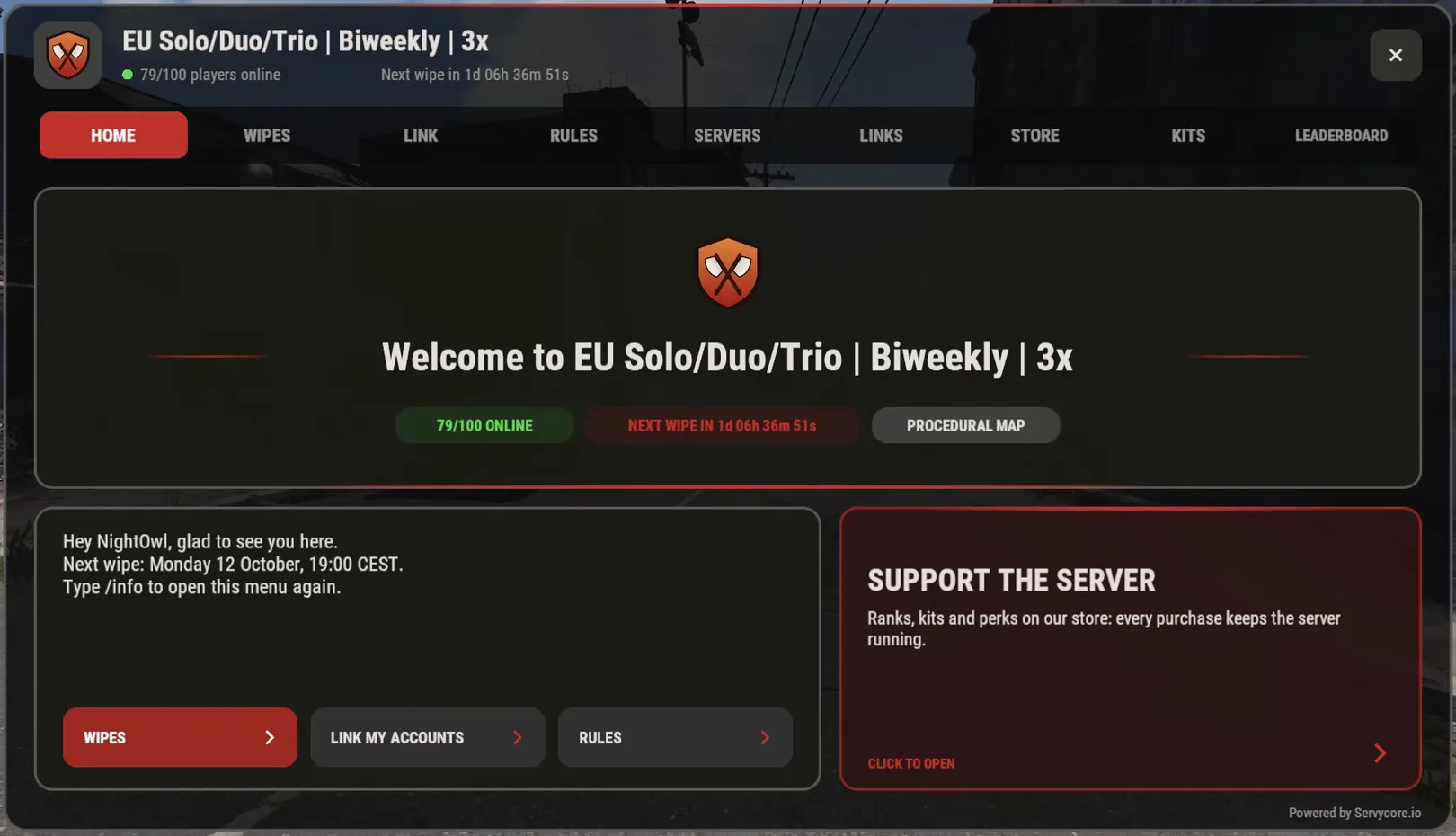
What your players get
- Home: a banner with your logo, the players online and a countdown to the next wipe, your welcome text with buttons to other pages, and a featured card for your store, your kits or an event.
- Wipes: a month calendar of the coming wipes, the Facepunch forced wipe included.
- Account linking: the player's Steam, Discord and Twitch accounts with their status and the reward each one gives, and a QR code to your link page. It updates live: an account linked on your website shows in game within seconds.
- Store: your Tebex or PayNow store, its categories, products, prices and sales. A product opens with a QR code to buy it on a phone.
- Kits: every kit with its items in their slots, its cooldown and how many uses are left, claimed in one click or from the chat (
/kit starter). - Leaderboard: the top 10 of the wipe and the player's own rank, kills, deaths and K/D.
- News: your latest blog posts.
- Servers and links: your whole network with a copyable connect command, and your Discord, website or vote links as QR codes.
- Your own pages: rules, steps, events, anything, with cards, numbered lists and two columns.
A Rust server cannot open the player's browser, so every link is a QR code to scan and an address already selected, ready for Ctrl+C.
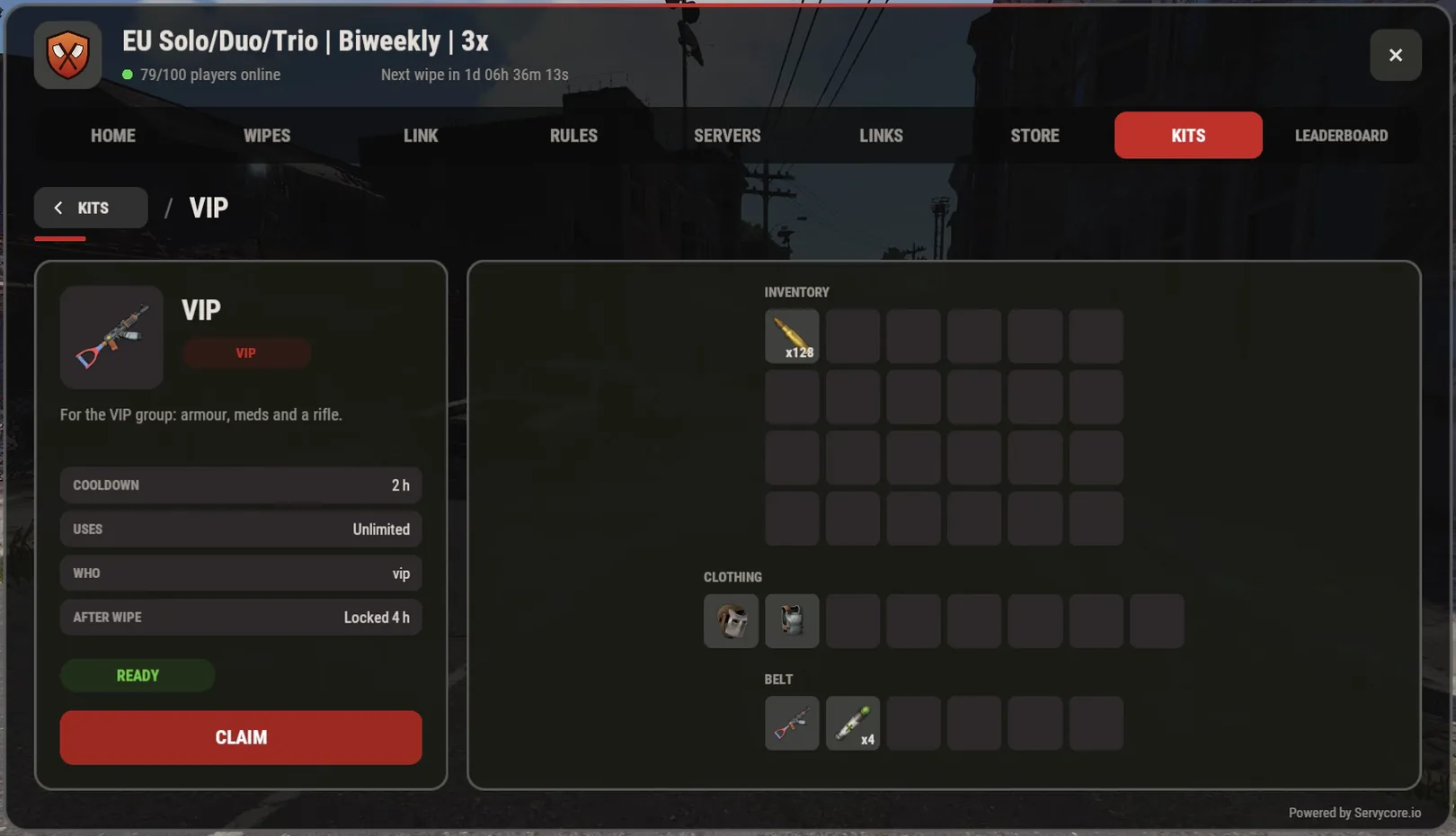
Designed in your panel
Open Control Center > In-game UI:
- Look: thirteen ready-made looks, then every colour, your logo, tabs on top or a side bar, and rounded, bevelled or sharp panels.
- Pages and chat commands: up to 16 pages, each with its own commands (
/wipe,/rules,/vip…). Hide the built-in pages you do not need. - Several menus:
/infoopens your server pages while/storeopens a Shop menu with the store and the kits. A page can also open alone, like/leaderboard. - A live preview next to the editor, drawn from the same data as the game.
- Draft and publish: you always edit a draft. Players keep the published version until you click Publish, and the history lets you put an older version back.
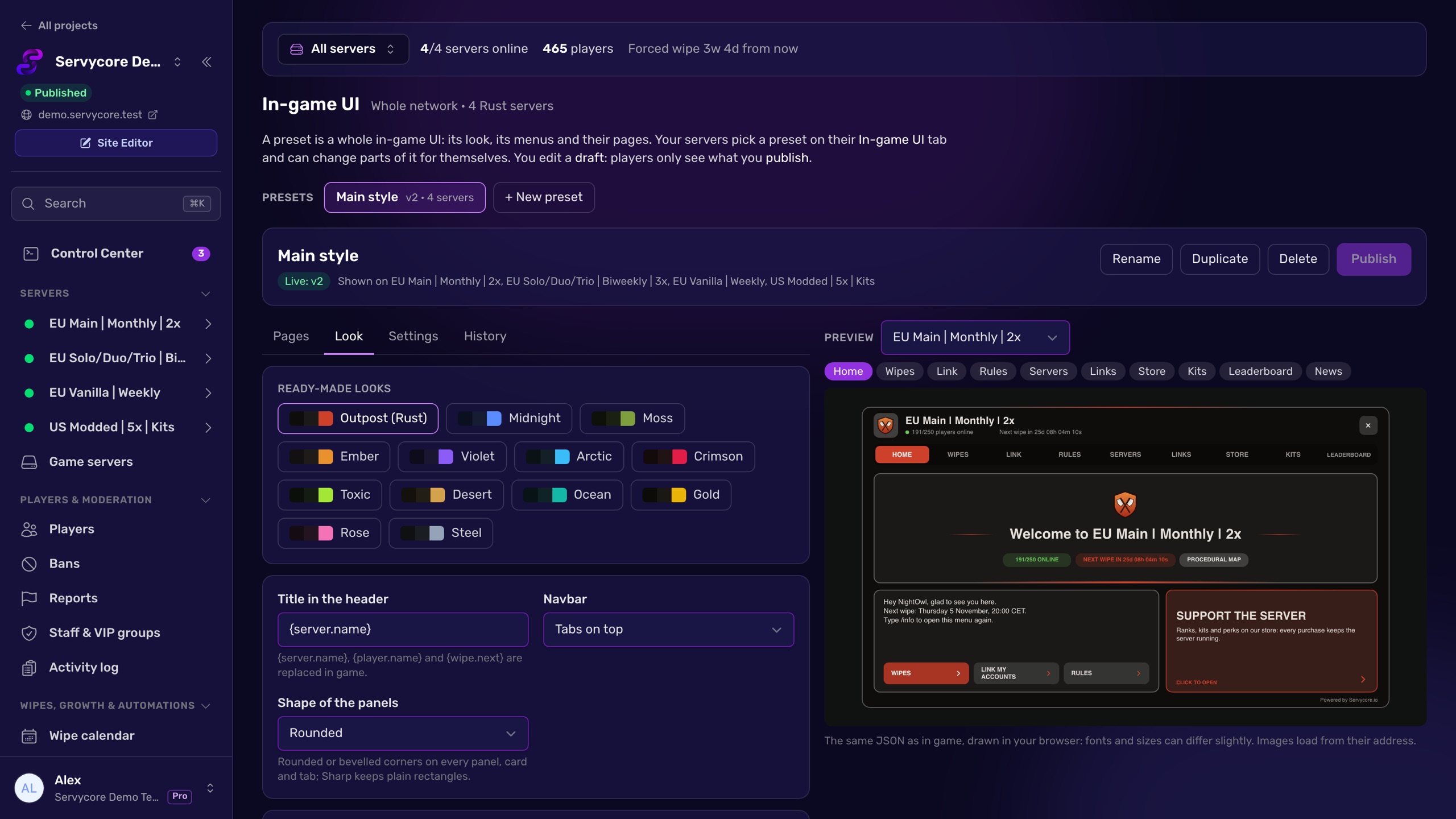
Kits, without the Kits plugin
- Put the items on your character and import your inventory, or type
/kit create <name>in game: the kit lands in your draft with your items, weapons with their attachments and ammo. - Set a cooldown, uses per wipe, a lock after each wipe, a category, and who may claim it: an Oxide or Carbon group (your VIP group), any permission (
kits.vipkeeps working), or everyone. No VIP group yet? See How to give VIP on a Rust server. - Each kit is Live or Draft: a draft kit is never given to players, and admins can claim it to test it.
- Coming from the Kits plugin? Import its kits in one click, from the server or by uploading
kits_data.json, then remove Kits. The editor tells you which commands another plugin still has (/kit,/info) before you publish.
One menu, every server
Pick a preset on each server's In-game UI tab. The data follows the server: one preset shows each server its own name, players and wipe dates. To change something for one server only, a colour, a page or the order, use Change for this server; everything else keeps following the preset.
Servycore's messages in the chat get your look too: set a Steam account with your logo as its avatar once, and the menu, your automations, announcements and the wipe countdown all show it with your server's name. The Welcome message automation now greets each player in a message only they read.
Plans
The In-game UI is in every plan, with every page. A page that shows a feature follows your plan: the Leaderboard page needs the leaderboard (from Basic), the Store page your website's store, the News page its blog. On Free, the menu shows a small "Powered by Servycore.io"; from Basic you can hide it.
Facepunch only allows an in-game UI on servers listed Modded, which Oxide and Carbon do by default.
Get started
Open a server in the Control Center, go to its In-game UI tab and click Install and connect the plugin: the plugin, its config and its token in one click (Servycore needs host access to the server: Pterodactyl, Pelican, WISP, AMP or SFTP). Then pick a look, publish, and type /info in game.
The knowledge base explains every page and setting. Questions or ideas? Join us on Discord.
With Servycore
Run your Rust servers from one panel
Servycore connects to your server with its RCON password and runs your wipes, bans, automations, plugins and Discord alerts, with your community website built in.
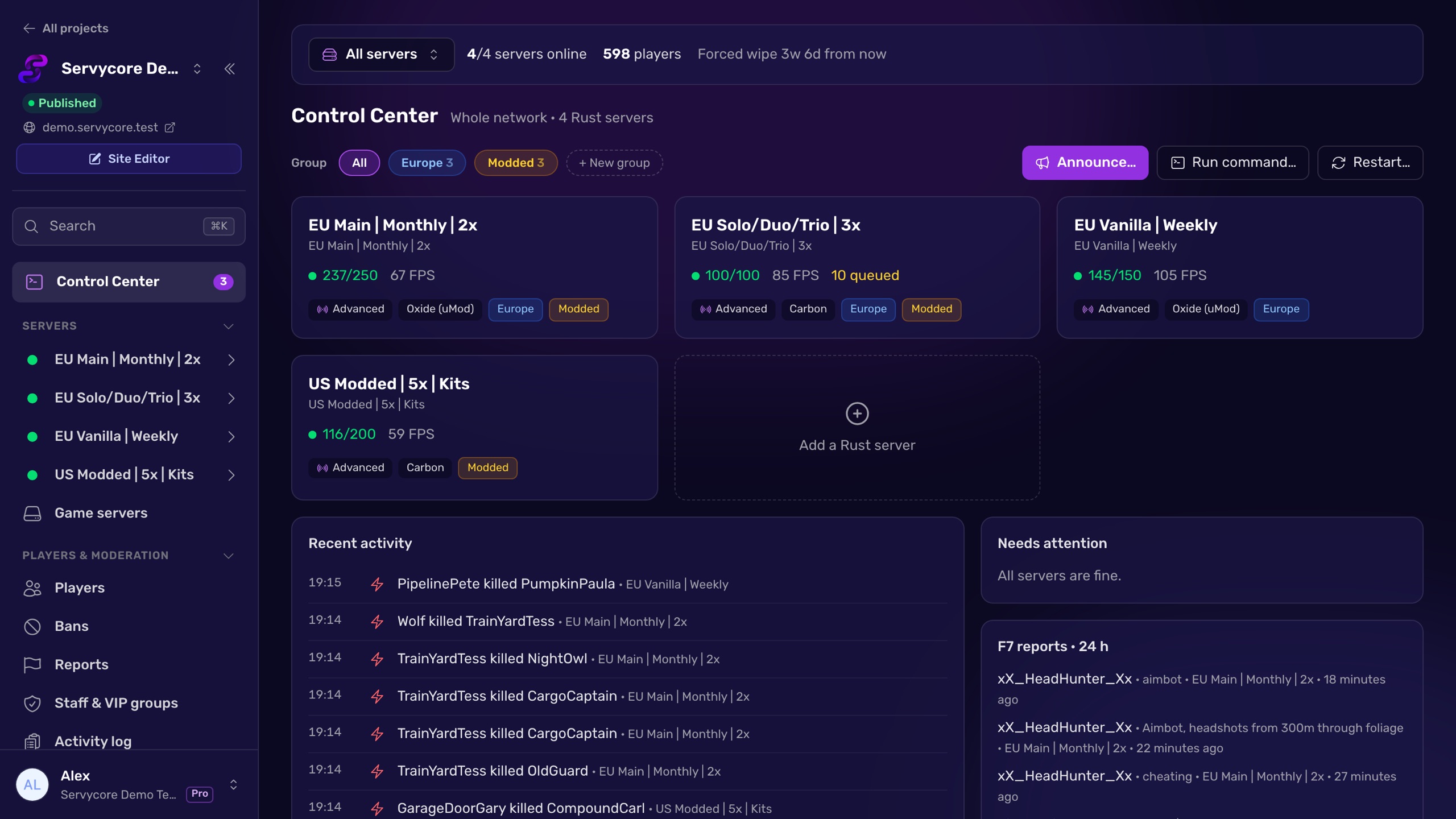
Read next
-
Manage your servers by talking to an AI The AI Connector (MCP) lets Claude, ChatGPT, Cursor or any MCP assistant run your Servycore panel with your rights: 63 tools for servers, players, plugins, tickets and the blog, plus 35 new API endpoints with no breaking change.
-
Introducing the Rust Control Center Servycore now manages your Rust servers too: console, players, network bans, the auto-wipe system, automations, plugins and files, plus account linking that catches up, new website blocks and simpler plans.
-
Why You Need to Back Up Your Game Server Learn why regular game server backups are critical and how panel backup buttons alone aren't enough to protect your world data, configs, and plugin settings.