Rust wipe announcements on Discord
Announce your Rust wipes on Discord: webhooks, timestamps that show in every member's time zone, what to post before and after, and common pitfalls.
7 minute read, checked against Rust's own code. Updated .
A good wipe announcement tells your players three things: when the wipe happens, in their own time zone; what gets wiped (map only, or blueprints too); and how to join once the server is back. On Discord the time zone problem is solved by timestamps: write <t:1793905200:F> and every member reads the date in their own time. Post the message through a channel webhook, once before the wipe and once right after, and you have covered what most players ask.
Create a webhook for your announcements
A webhook lets any tool post in one channel without a bot:
- Open your Discord server, then Server Settings > Integrations > Webhooks.
- Click New Webhook, pick the channel your players read for wipes, and give it a name and an avatar (your server's logo works well).
- Click Copy Webhook URL.
Treat the URL like a password: anyone who has it can post in that channel. If it leaks, delete the webhook and create a new one. Posting into a forum channel works too, by adding ?thread_id=<thread id> to the URL.
Discord timestamps: one date, every time zone
Your players are spread across time zones; "19:00" means nothing without one. Discord replaces a timestamp tag with the date in each reader's own time zone and language:
| Tag | Shows (for a reader in London, in English) |
|---|---|
<t:1793905200:F> |
Thursday, November 5, 2026 7:00 PM |
<t:1793905200:f> |
November 5, 2026 7:00 PM |
<t:1793905200:D> |
November 5, 2026 |
<t:1793905200:t> |
7:00 PM |
<t:1793905200:R> |
in 3 hours, then 3 hours ago (it updates on its own) |
The number is a Unix timestamp: seconds since January 1, 1970, UTC. 1793905200 is November 5, 2026 at 19:00 UTC, a force wipe day. The relative style R is the best countdown you can put in a message: it keeps counting without anyone editing the post.
The Discord wipe announcement builder writes these tags for you from a date and time, and the wipe planner gives you the next force wipe dates.
What to post, and when
Three messages cover a wipe without spamming:
| When | Purpose | What to put in it |
|---|---|---|
| A few hours before (one hour is common) | Get people ready | Wipe type, the time with :F and the countdown with :R, the connect command |
| When the wipe starts | Explain why the server is down | "Wipe in progress", when you expect it back |
| A few minutes after the server is back | Bring everyone in | @everyone, the connect command, the new map, the date of the next wipe |
Keep the big mention for the last message: that is the one players act on. A ping for every step teaches people to mute your channel.
Writing the message
A Discord embed reads better than plain text: a colored bar, a title, a short description and fields. A useful set of fields:
- When:
<t:…:F>and<t:…:R>. - Type: "Forced wipe · map + blueprints" or "Map wipe". Players care most about blueprints.
- Connect:
`client.connect play.example.com:28015`. Players paste it in the F1 console of Rust. - Map: for a procedural map, a link to
https://rustmaps.com/map/<size>_<seed>lets players scout monuments before they join. A picture of the new map is even better after the wipe. - Next wipe:
<t:…:D>so the question never comes up in your support channel.
Keep it short: the title says what happens, the fields carry the details. Embed titles are limited to 256 characters and descriptions to 4,096.
Pitfalls with webhooks
- Large images are refused. Discord rejects attachments above its upload limit (around 10 MB on a server without boosts). A full-size map render can be several megabytes; resize it or link it instead.
- Deleted webhook, silent failure. Discord answers "unknown webhook" once someone deletes it; a tool that ignores the error stops posting without telling you. Test the webhook after every change in your channels.
- Rate limits. Posting many messages in a burst gets refused for a moment. One message per step is enough.
- Tests in the real channel. A test with
@everyonepings everyone. Test in a staff channel first, or remove the mention while you check the layout. - Late messages. "Wipe in one hour" posted after the wipe already ran is worse than nothing. If your wipe moved, skip the message rather than post it late.
Wipe announcements with Servycore
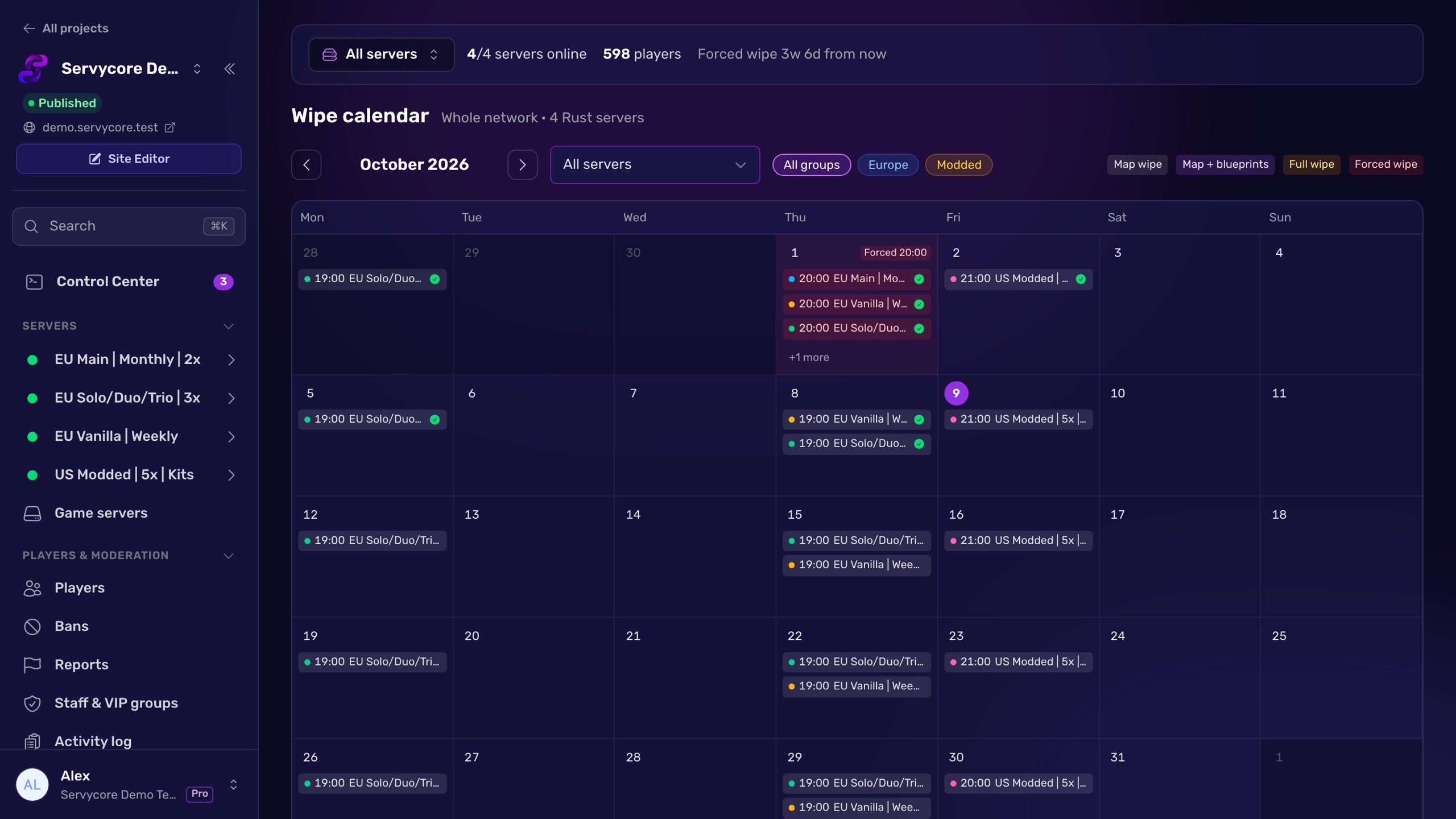
On every Rust server of the Control Center, the Wipes page has a Discord tab for these messages, and they post themselves:
- Three presets ready on every new Rust server: 1 hour before (wipe type and connect command), Wipe starting, and Just wiped five minutes after the server is back, with
@everyone, the new map image, your logo, the connect command, the map link and the next wipe. Add up to 10 announcements per server, from 24 hours before the wipe to 24 hours after. - Times in every reader's time zone: the variables
{time}and{countdown}become Discord timestamps.{server},{type},{connect},{map},{next_wipe}and{website}fill in the rest. - The channel you choose: your public Wipe Announcements channel, or the webhook of another channel, with no mention,
@everyone,@hereor the roles you pick. Custom webhooks are never sent back to your browser. - A live preview and a safe test: the editor shows the message as Discord will. Send a test posts it to your staff channel (or the real one if you insist), with "[Test]" in the title and no one pinged.
- They follow the real wipe: "before" messages follow the wipes planned by the Auto-wipe system; "after" messages go out once it finished, and also when your host wiped the server, as soon as Servycore sees the new world. A message whose time passed more than 15 minutes ago is not sent, and one with the map image waits up to 10 minutes for the render.
- A record of each wipe: Past wipes shows which messages went out, and why one did not.
The same network can keep a Live Server Status message up to date in another channel, and the Servycore bot answers /wipe with the next wipe of each server, in each member's time zone.
Questions people ask
How do I show the wipe time in each player's time zone on Discord?
Use a Discord timestamp: <t:UNIX:F> for the full date and time, <t:UNIX:R> for a live countdown, where UNIX is the wipe time in seconds since January 1, 1970 UTC. Discord converts it for every reader.
Should I ping @everyone for a wipe?
Once, when the server is back and players can join. Pinging for every step trains members to mute the channel.
Do I need a Discord bot to post wipe announcements?
No. A channel webhook is enough to post messages, embeds and images. A bot is only needed for things like slash commands or managing roles.
Why did my wipe image not show on Discord?
It was probably too large: Discord refuses attachments above its upload limit, and a full map render can be several megabytes. Send a smaller image or a link.
Can I post the same announcement for several servers?
Yes, one message per server works best, each with its own connect command, map and next wipe. Use one channel for the whole network so players find every wipe in one place.
How do players connect from the announcement?
Give them the connect command in a code block, for example `client.connect play.example.com:28015`. They open the F1 console in Rust, paste it and press Enter.
With Servycore
Wipe announcements that post themselves
Servycore posts each wipe on Discord one hour before, when it starts and right after, with the new map, the connect command and the next wipe.
- Set up wipe announcements in the knowledge base
- Discord notifications in the knowledge base
Read next
- Discord Wipe Announcement Builder Build a Rust wipe announcement for Discord with live timestamps that show in each member's time zone, a countdown, the connect address and the map. Free.
- Rust Wipe Planner Countdown to the next Rust force wipe in your time zone, your weekly or biweekly wipe days planned around it, and a calendar file for both.
- How to wipe a Rust server Map, blueprint or full wipe: the exact files to delete in server/<identity>/, the ones to keep, and how to handle force wipe day step by step.